Quick verdict: A no-frills, wired-only 65% keyboard that delivers Hall Effect speed for just $50.
Pros
- Magnetic switches with Rapid Trigger
- 8000Hz polling rate, eight times a standard keyboard
- South-facing LEDs that don't glare
- Rock-solid wired connection with no battery to worry about
Cons
- Wired only, no wireless
- Learning curve with layered key combinations
- Modest plastic build
- Not ideal if you rely on navigation keys

Shopping for a budget keyboard? See how the WIN60 HE compares in my best budget mechanical keyboards guide, where I rank all 19 keyboards I’ve tested.
Having tested numerous compact keyboards like the AJAZZ AK680 MAX and Epomaker HE68, I thought I knew what to expect from small form factors. The AULA WIN60 HE from MechLands proved me wrong. This 65% layout keyboard isn’t just small; it’s a purpose-built speed machine. But can a $50 wired keyboard with pro-grade features truly deliver? Let’s find out.
What’s in the Box?

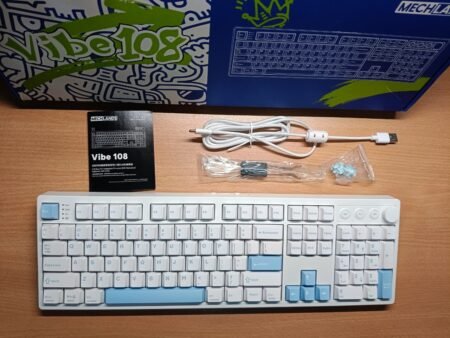
AULA provides a functional and thoughtful unboxing experience:
- The AULA WIN60 HE Keyboard
- A detachable USB-C cable
- A combination keycap and switch puller
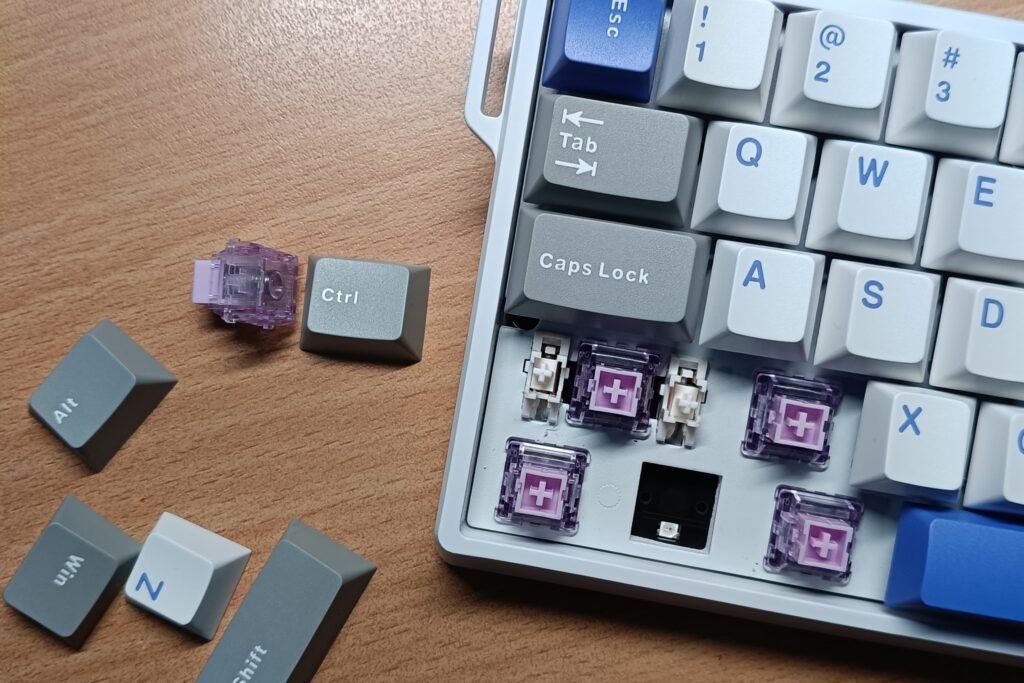
- Two extra magnetic switches for testing or replacement
- A cloth wrist strap
- A user manual and a handy combination key reference card
The inclusion of the shortcut card is essential, as it’s your guide to mastering the keyboard’s layered functions.
Design and Build
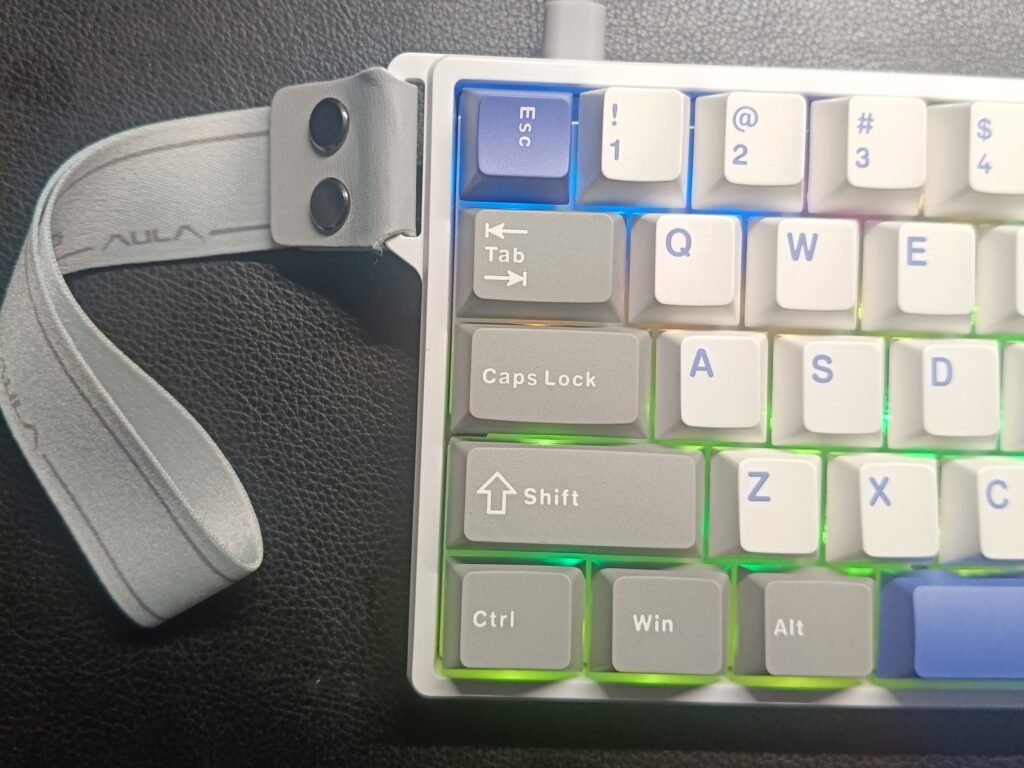
The WIN60 HE is the definition of a 65% layout, packing 68 keys into a chassis with virtually no wasted space. I have the “White and Blue” version, which features a clean, two-tone look with grey accents. The “Black and Red” and “Grey and Yellow” options offer different aesthetics for various setups.
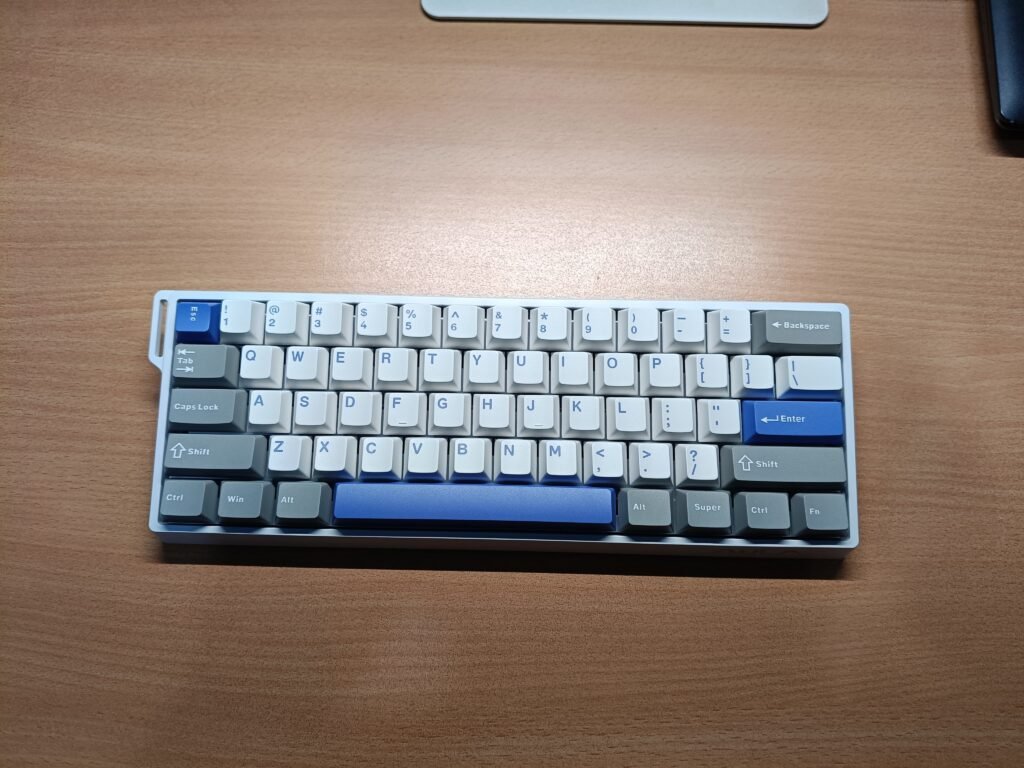
The entire build is ABS plastic. While it feels solid with no noticeable flex, it doesn’t pretend to be a premium metal keyboard. This is a clear trade-off to meet its $50 price and achieve its incredibly low weight of just 700 grams.

Design details are minimalist:
- Four sticky rubber grips on the bottom keep the keyboard planted firmly on the desk during intense gaming sessions.
- A clever loop on the top-left edge allows you to attach the included wrist strap, making it genuinely portable.
- The “Aula” branding is subtly placed on the side edge, keeping the top face clean.
Magnetic Switches & 8000Hz Polling Rate
This is where the WIN60 HE punches far above its weight class.
The keyboard features WingChun Magnetic (Hall Effect) Switches, which use magnets to detect keystrokes instead of physical metal contacts. This technology allows for advanced features typically found on keyboards costing over $100:
Rapid Trigger (RT): You can set a key to reset the instant it travels upward, allowing for incredibly fast repeated presses in games like Valorant or osu!.
Adjustable Actuation: Customize the exact point at which a keypress registers (from 0.1mm to 4.0mm), tailoring the feel to your exact preference.
Advanced Functions: It also supports DKS (Dual Key Switching) and SOCD (Simultaneous Opposite Key Detection) for complex, error-free inputs in fighting or rhythm games.
Combined with a blistering 8000Hz polling rate eight times faster than the 1000Hz standard the keyboard reports your actions to your PC with virtually zero latency. The result is a connection that feels telepathic. Every strafe, tap, and ability registers with razor-sharp precision.
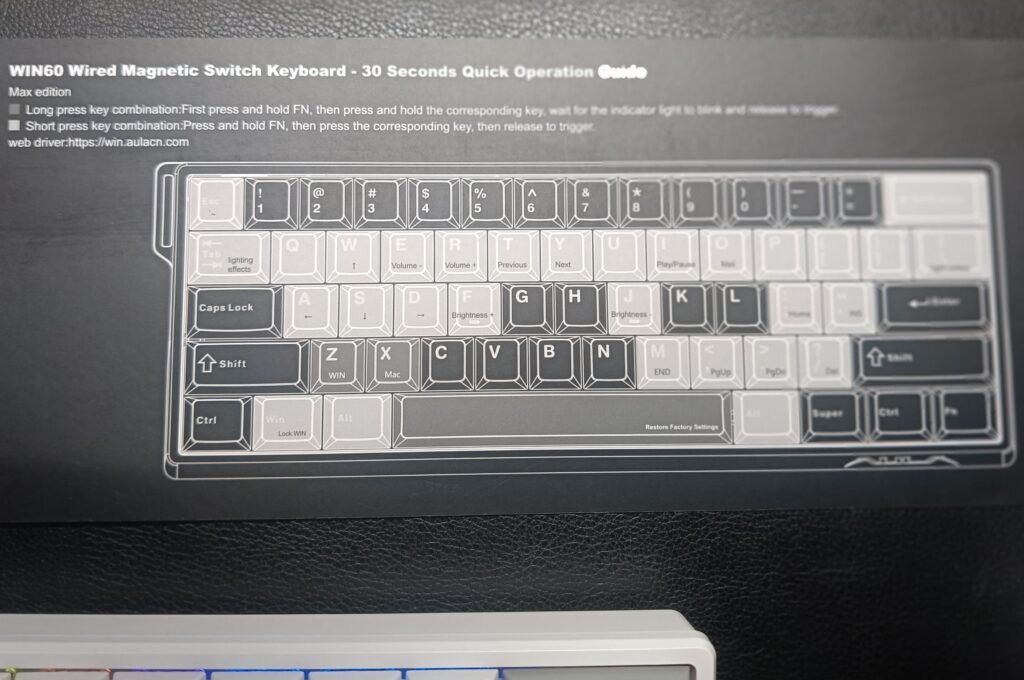
To achieve its tiny footprint, the WIN60 HE omits many standard keys: the function row, numpad, and the entire navigation cluster (Delete, Home, End, PgUp, PgDn, etc.).
To access these functions, you must learn key combinations using the FN key. When I first started using it for work, my productivity plummeted. The muscle memory was gone, and constantly referring to the shortcut card was frustrating.
However, after a few days of dedicated use, the combinations started to click. Now, I can navigate documents almost as quickly as before. For pure gaming, the compact layout is a benefit, leaving massive amounts of room for mouse movement. But be warned: if you are a programmer, writer, or someone who lives by their navigation keys, this keyboard will feel restrictive. If you want a compact board with more dedicated keys, consider alternatives like the EPOMAKER HE68.
RGB Backlight and Customization
The WIN60 HE features bright, per-key RGB lighting. The LEDs are south-facing, which is an excellent design choice as it prevents glare from shining in your eyes when viewed from a normal sitting position. The lighting is vibrant and uniform, with plenty of built-in effects. For deeper customization of lighting, macros, and switch settings, you’ll need to use AULA’s dedicated software.
Wired Connectivity
The AULA Win60 HE Series delivers wired-only connectivity with a blistering 8000Hz polling rat 8x faster than standard gaming keyboards (1000Hz). This hyper-responsive connection ensures near-instant input registration, eliminating lag during high-stakes moments in competitive shooters or rhythm games.
While it lacks wireless options, the USB-C wired connection guarantees rock-solid stability, with zero risk of interference or battery drain. For gamers who prioritize raw speed and reliability over wireless convenience, this $50 keyboard punches far above its weight class.
Who Should Buy the AULA WIN60 HE?
After weeks of daily use, the AULA WIN60 HE has shocked me. It’s a borderline cheat code for budget-conscious gamers.
This keyboard is an absolute must-buy for:
- Competitive gamers playing FPS, rhythm, or fighting games who need the fastest response time possible.
- Gamers on a tight budget who want pro-tier performance without the pro-tier price.
- Anyone needing an ultra-portable LAN party or travel keyboard.
However, you should look elsewhere if you are:
- A writer, programmer, or office user who relies heavily on dedicated nav-cluster keys.
- Someone who needs or desires wireless connectivity.
- A user looking for a premium, heavy, metal-cased keyboard.
The AULA WIN60 HE knows exactly what it is: a no-frills, wired-only performance machine. The learning curve is real, and the plastic build is modest, but the speed you get for $50 is simply unmatched. If you can live with its compromises, it’s one of the best value-for-money propositions in gaming today.