

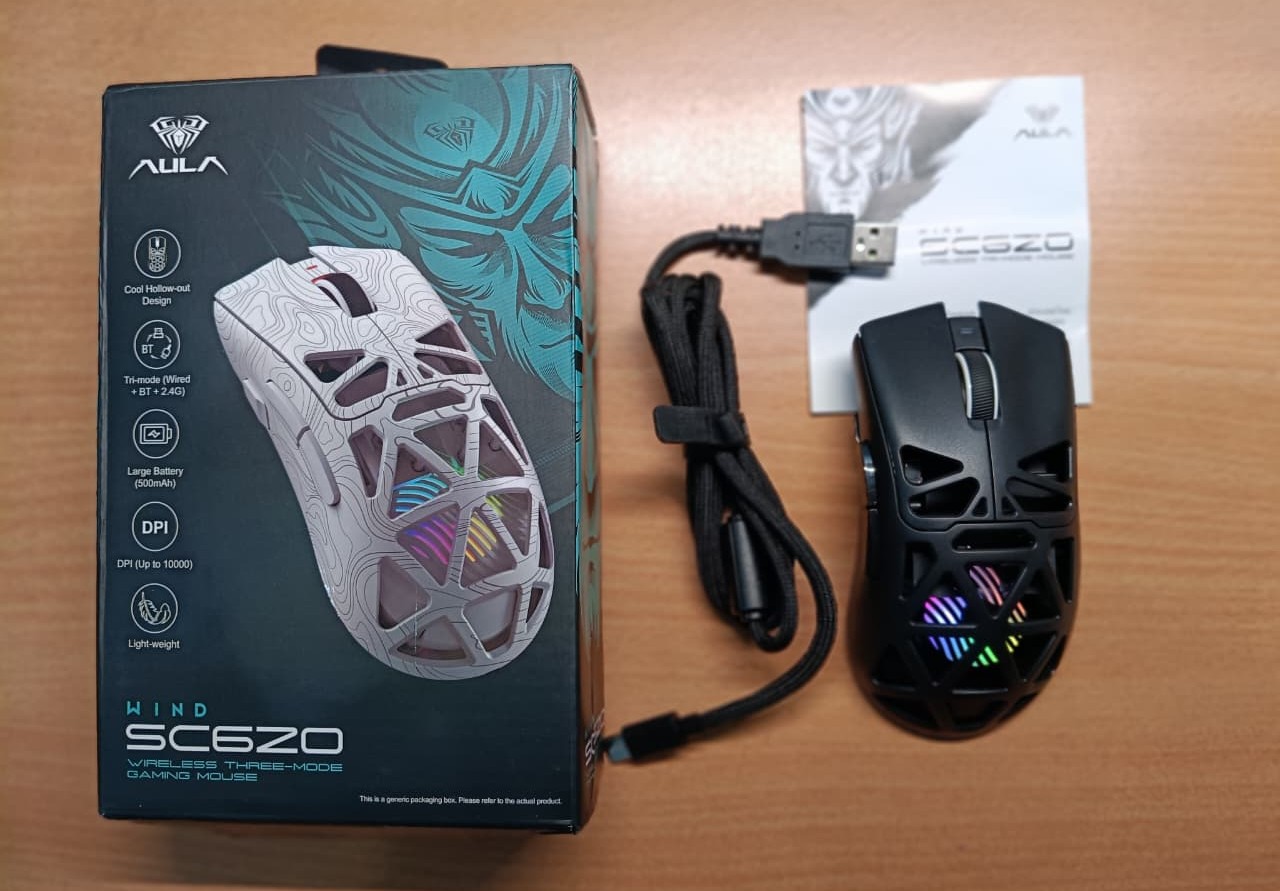
The AULA SC620 Wireless Gaming Mouse features programmable buttons, a lightweight design, and the high-precision PAW3311 sensor. It offers tri-mode connectivity, a 400mAh battery, and customizable DPI up to 12,000. What really makes it stand out as a gaming mouse is its unique net-shaped design paired with vibrant RGB backlighting.
I’ve been using the AULA SC620 for two months now, and I can confidently say it’s one of the best budget gaming mice you can get for around $30. In this full detailed review, I’ll explain exactly why it’s so good.
What’s in the box
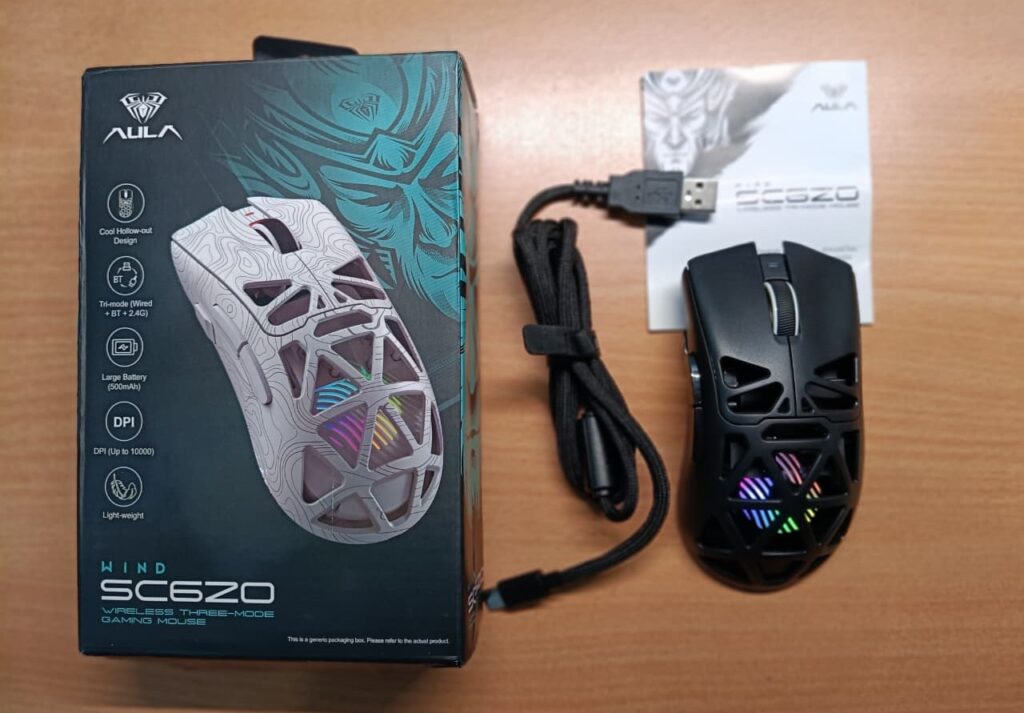
Inside the box, you’ll get the AULA SC620 Gaming Mouse itself, a premium braided USB cable (for charging and wired mode), the user manual, and the 2.4GHz wireless receiver. That’s all.
Design and Build
The AULA SC620 comes in two color variants: Black and White. I received the black unit for this review from MECHLANDS. The black version definitely gives off a stronger gaming vibe.
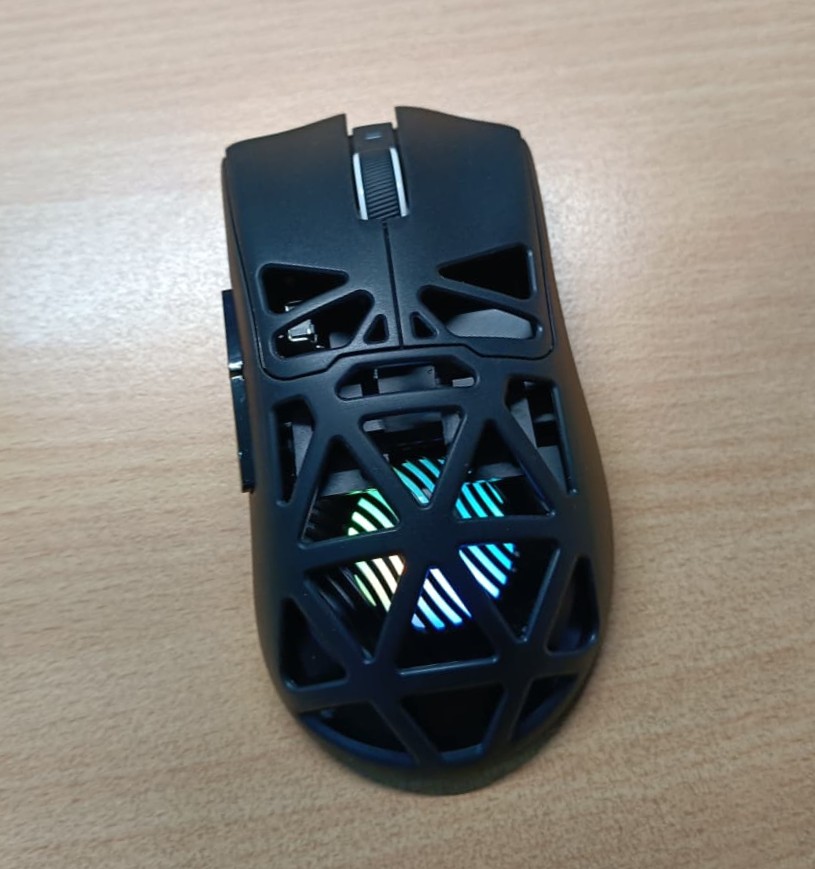
The SC620 features an open honeycomb design that keeps your hand cool and dry even during long gaming sessions. It helps reduce sweat and fatigue significantly. It also has a large RGB backlight that adds to the gaming atmosphere, and you can customize the lighting effects as well. Above the scroll wheel, there’s a charging indicator.
The mouse has a honeycomb structure, making it extremely lightweight at just 67g, while still maintaining good structural strength.
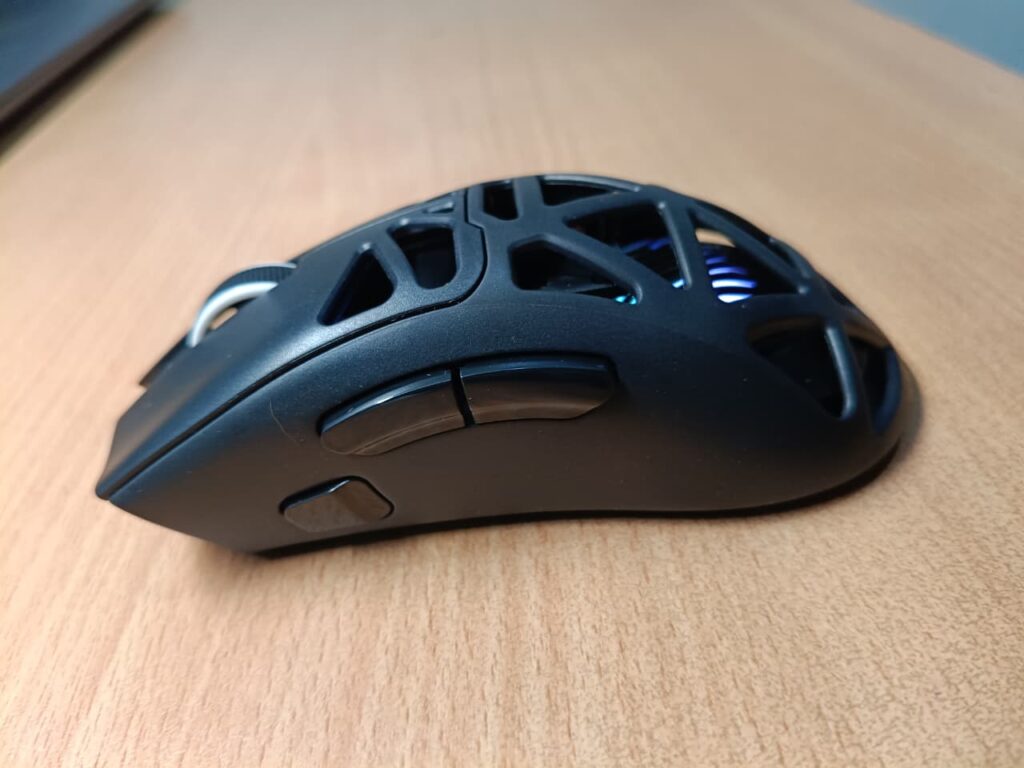
On the left side, it includes three programmable buttons. By default, the top one acts as a fire button, while the other two are set as forward and backward buttons. You can easily reprogram all of them, along with other settings, using the MECHLANDS software. These dedicated buttons make both gaming and everyday tasks much faster and more convenient.
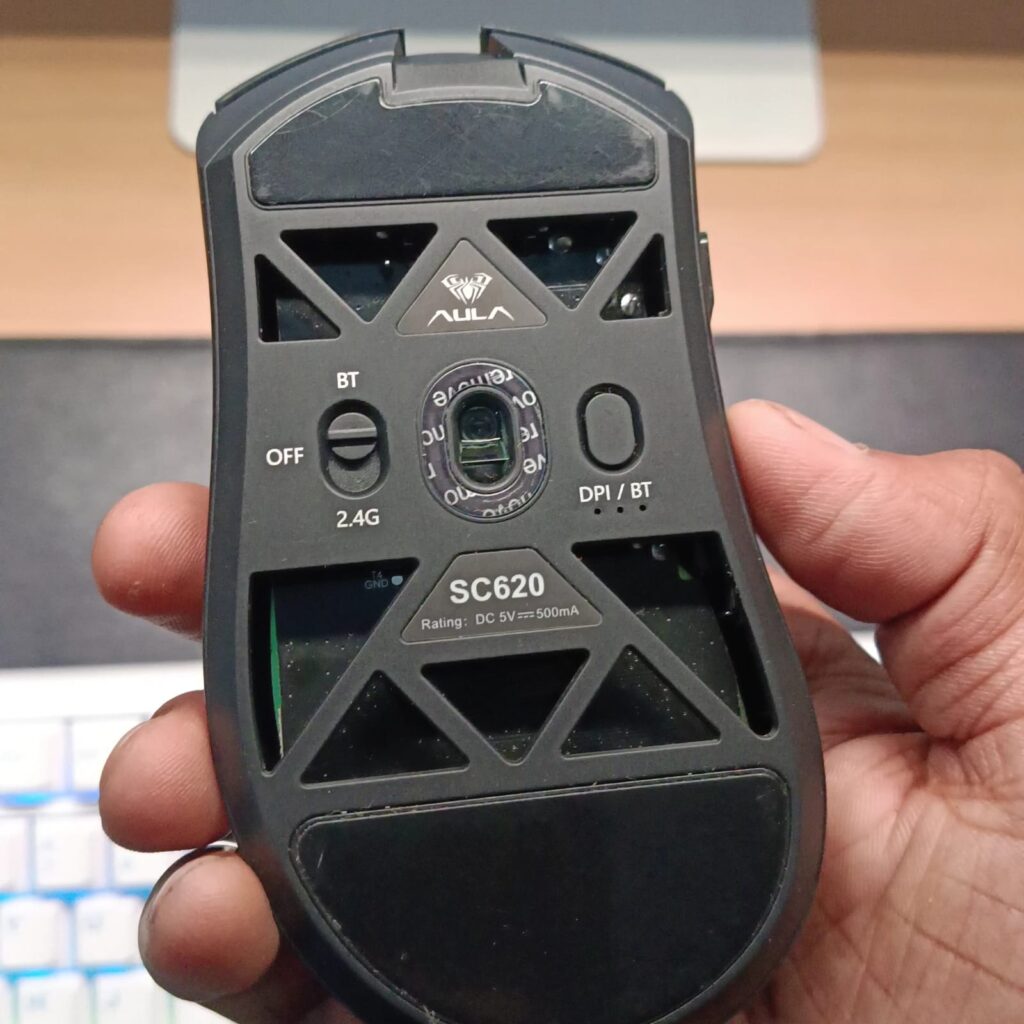
On the bottom, you’ll find the mode switch, DPI button (which also serves as the pairing key), and the slot for the 2.4GHz wireless receiver. The open design on the back helps with heat dissipation, so your hand stays cool and sweat-free even after hours of use.
At just $30, the AULA SC620 offers way more premium features and better ergonomics than many more expensive mice. In this price range, it’s hard to find a gaming mouse that includes programmable side buttons and vibrant RGB lighting together.
Connectivity & Battery
The AULA SC620 offers tri-mode connectivity: 2.4GHz wireless, Bluetooth, and USB wired mode. Both the wired and 2.4GHz wireless modes support up to 1000Hz polling rate, while Bluetooth is limited to 125Hz.
I tested the Bluetooth connectivity and it works really well. As soon as you switch to Bluetooth mode, it connects automatically to your device. For normal productivity tasks like writing blogs, browsing the web, or using social media, I experienced zero noticeable latency. However, for gaming, I recommend using the 2.4GHz wireless or wired mode for the fastest and most stable performance.
As for the battery, the SC620 has a 400mAh cell. In my testing, it easily lasts up to two weeks with normal productivity use. During heavy gaming sessions with the RGB backlight on, you’ll need to recharge it after about one day using the USB-C cable. You can always turn the RGB off to extend the battery life.
Overall, the connectivity is strong and delivers excellent performance, though the battery life is a bit shorter — especially with RGB enabled. Still, considering the price and the features it offers, this is a very acceptable compromise.
Performance
Equipped with the advanced PAW3311 optical sensor, the AULA SC620 delivers excellent accuracy and smooth tracking, even during fast movements. You can easily adjust the DPI on the fly using the dedicated button, with six preset levels going all the way up to 12,000 DPI. Combined with the 1000Hz polling rate in both wired and 2.4GHz wireless modes, the mouse feels incredibly responsive and precise. Whether I’m playing fast-paced FPS games or doing detailed work, the cursor movement is smooth and reliable, giving me a clear advantage without any noticeable lag.
Verdict
After using the AULA SC620 for two full months, I can confidently say it’s one of the strongest budget gaming mice available right now. For just around $30, it packs a surprising number of premium features — programmable side buttons, vibrant customizable RGB, a lightweight honeycomb design, tri-mode connectivity, and a solid PAW3311 sensor with 1000Hz polling rate.
Sure, the battery drains faster during intense gaming sessions with RGB on, but that’s a small trade-off considering everything else it offers. If you’re looking for a capable, lightweight, and feature-rich gaming mouse without spending a lot of money, the AULA SC620 is an excellent choice. Highly recommended for budget-conscious gamers.
