Disclosure: Some links in this post are affiliate links. As an Amazon Associate, Arb Mobiles earns from qualifying purchases, at no extra cost to you.
I’ve reviewed 19 mechanical keyboards on Arb Mobiles over the past year, almost all of them under $100. I used every one as my main keyboard before writing about it, most of them for two weeks to a month, so I typed, gamed and worked on each one. This guide pulls those reviews together so you don’t have to read all of them.
If you just want the answer: the EPOMAKER TH108 Pro is the best budget keyboard I’ve used if you want a full-size board, the MechLands Vibe75 V2 is my pick for a compact one, and the Tecware Phantom S is the one I’d buy with only $50 to spend.
My top picks at a glance
| Keyboard | Layout | Price when tested | Best for |
|---|---|---|---|
| EPOMAKER TH108 Pro | Full-size | about $99 | Best overall full-size |
| MechLands Vibe 108 | Full-size | $90 | Biggest battery for the money |
| EPOMAKER x AULA F108 Pro | Full-size | $89 | Screen and knob under $90 |
| MechLands Blade101 | Full-size | $93 | Aluminum build with a numpad |
| Epomaker TH99 | 96% | $74 | Numpad on a small desk |
| MechLands Vibe99 | 98% | $82 | Numpad plus a custom screen |
| MechLands Vibe75 V2 | 75% | $80 | Best compact keyboard |
| EPOMAKER x AULA F75 | 75% | $80 | Best-looking 75% |
| Tecware Phantom S | 75% | $49 | Best under $50 |
| Epomaker HE68 | Compact | $60 | Competitive gaming |
| AULA WIN60 HE | 65% | $50 | Cheapest Hall Effect board |
| EPOMAKER Galaxy100 Lite | Full-size | about $100 | Customization (QMK/VIA) |
How I tested these keyboards
Every keyboard here was used as my main keyboard for daily work, typing and gaming. I used the wired, 2.4GHz and Bluetooth modes where a board had them, kept an eye on battery life with the RGB on, and paid close attention to how each one sounds and feels after hours of typing, not just in the first five minutes. Some I bought myself and some were sent by brands like MechLands and Epomaker for review. Where a keyboard has problems, I’ve written them down here too.
Best full-size budget keyboards
Best overall: EPOMAKER TH108 Pro
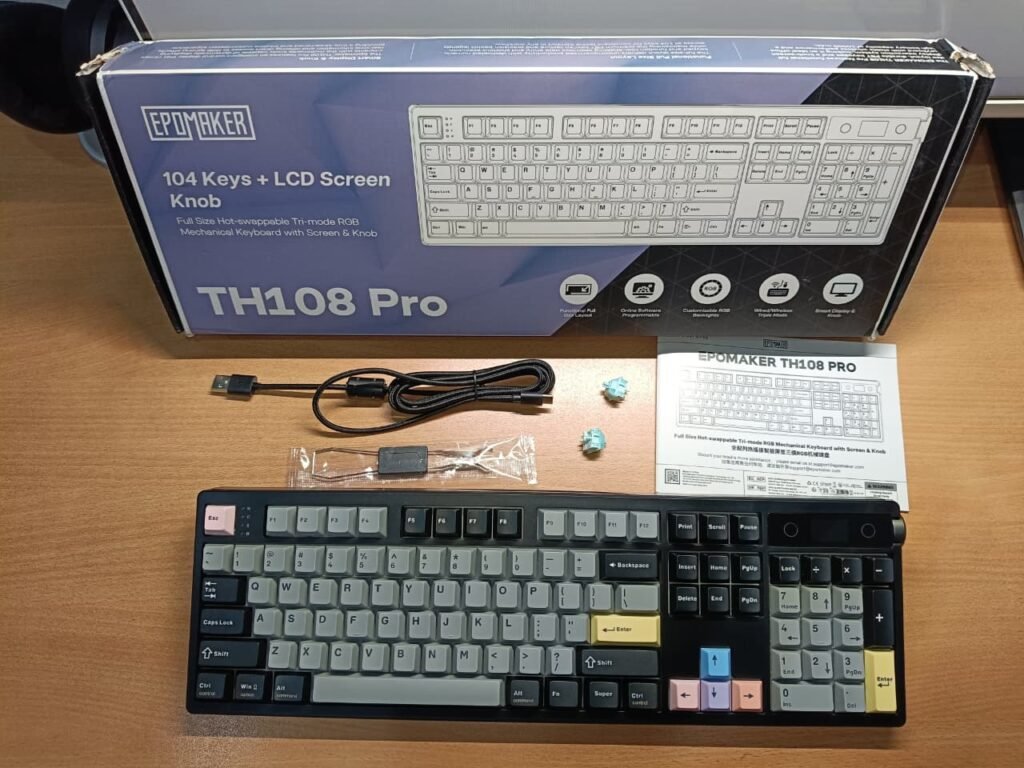
Price when I tested it: about $99
The TH108 Pro is the keyboard I’d point most people to. It’s a full-size board, so you keep the numpad, and it adds a small TFT screen and a knob without feeling like a gimmick. The typing feel is satisfying and the wireless connection was reliable for me the whole time.
What I liked: the 10,000mAh battery means you rarely think about charging, and the screen and knob combo is genuinely useful.
Worth knowing: it’s right at the top of the budget range. If you don’t need the screen, the cheaper options below get you close.
Read my full EPOMAKER TH108 Pro review | Check the price on Amazon
Biggest battery for the money: MechLands Vibe 108
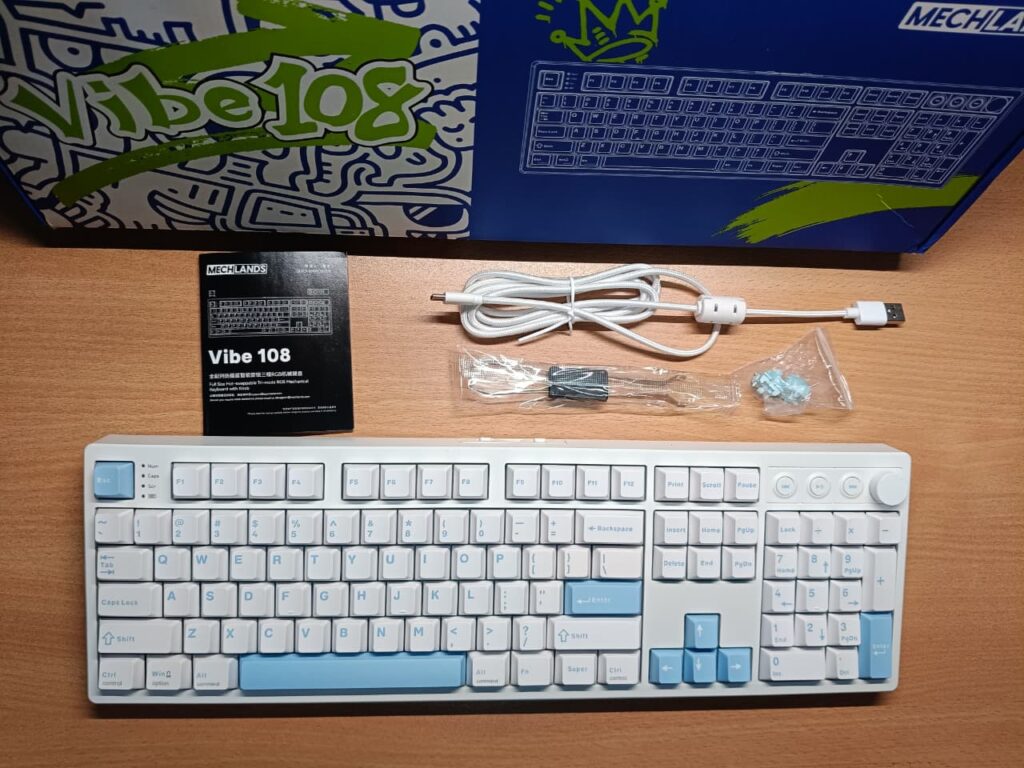
Price when I tested it: $90
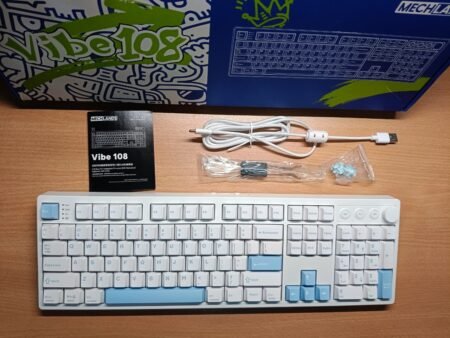
I used the Vibe 108 for about two months, which is longer than almost any other keyboard on this list. It’s a full-size, hot-swappable, tri-mode board with dedicated media keys and a volume knob, and it has the same huge 10,000mAh battery as the TH108 Pro for less money.
What I liked: the Cream Mint switches have a deep, thocky sound, and the gasket mount and sound dampening make long typing sessions comfortable.
Worth knowing: there’s no screen. If you want one at this price, look at the F108 Pro below.
Read my full MechLands Vibe 108 review | Check the price on Amazon
Screen and knob under $90: EPOMAKER x AULA F108 Pro
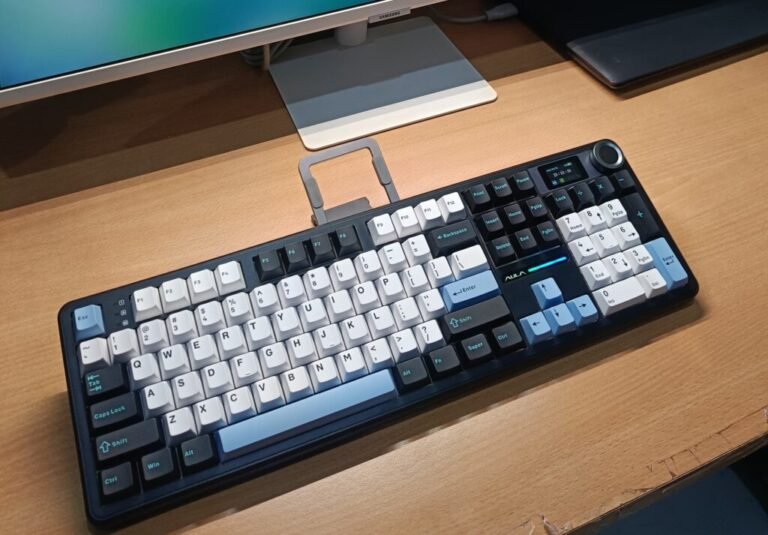
Price when I tested it: $89
The F108 Pro packs a full 108-key layout, a custom screen, a control knob, triple connectivity and an 8000mAh battery into an $89 keyboard. I tested it for a full month for both gaming and work, and it held up well in both.
What I liked: the value. You get a feature list that normally costs a lot more, and the typing experience matches it.
Worth knowing: it’s a big board, like every full-size keyboard, so it eats into mouse space on a small desk.
Read my full EPOMAKER x AULA F108 Pro review | Check the price on Amazon
Aluminum build with a numpad: MechLands Blade101
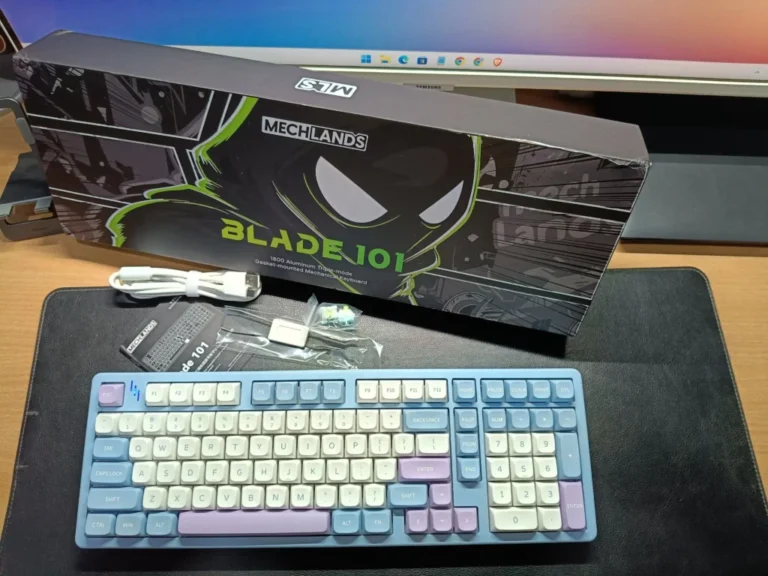
Price when I tested it: $93
The Blade101 is the full-size sibling of the Blade75, and it keeps that premium aluminum feel while adding a dedicated numpad. After three weeks of work and gaming it felt like a much more expensive keyboard than it is.
What I liked: the solid aluminum case, the quiet, thocky typing sound and the long battery life.
Worth knowing: the mode switch on the front edge is tiny and fiddly, and the keyboard is heavy. If you switch devices a lot, that toggle will annoy you.
Read my full MechLands Blade101 review | Check the price on Amazon
Best compact keyboards that keep the numpad
Numpad on a small desk: Epomaker TH99
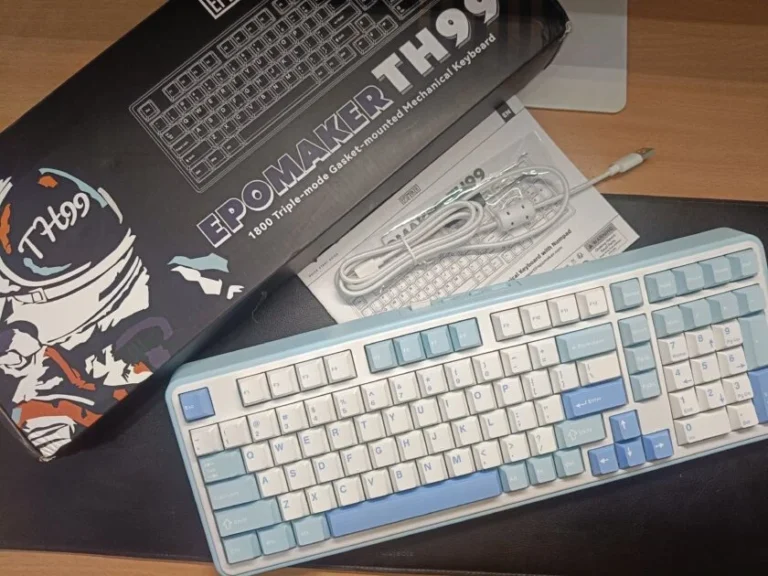
Price when I tested it: $74
The TH99 squeezes a numpad, function row and arrow keys into a 96% layout that’s much more desk-friendly than a full-size board. The case is ABS plastic, but it feels solid with no creaking.
What I liked: the Creamy Jade linear switches and double-shot PBT keycaps feel great for the price, and you get tri-mode connectivity with a 4000mAh battery.
Worth knowing: it’s plastic, not aluminum. For $74 that’s a fair trade.
Read my full Epomaker TH99 review
Numpad plus a custom screen: MechLands Vibe99
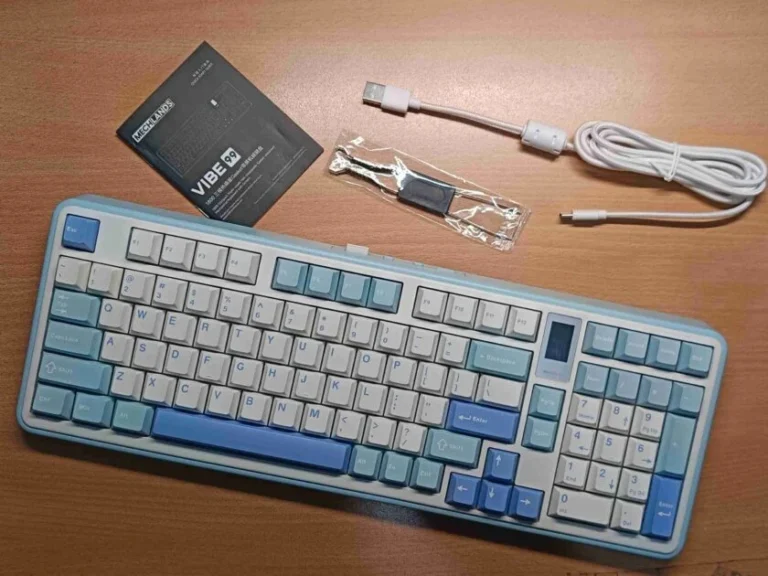
Price when I tested it: $82
The Vibe99 uses a 98% layout, only slightly wider than a tenkeyless board, and adds a 1.06-inch color screen. You can change lighting and volume from the screen or upload your own GIFs through the software.
What I liked: the gasket-mounted typing feel is soft and quiet, and with the RGB on I still got several days between charges.
Worth knowing: the case is ABS plastic, and the 2.4GHz dongle storage looks a bit tacked on compared to other boards.
Read my full MechLands Vibe99 review | Check the price on Amazon
Also worth a look: the Tecware Spectre 96 ($90) gives you a numpad, an LCD screen and a knob in a gasket-mounted board with a 4000mAh battery.
Best 75% keyboards
Best compact keyboard: MechLands Vibe75 V2
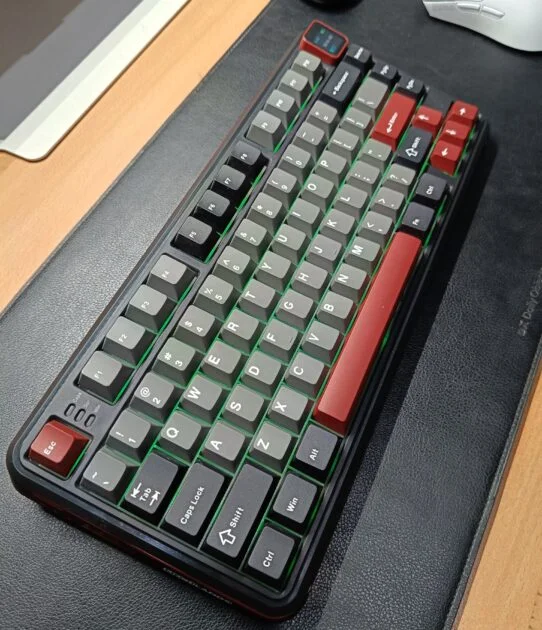
Price when I tested it: $80
If you don’t need a numpad, the Vibe75 V2 is the one I’d buy. It gives you a gasket-mounted design and a customizable screen for $80, and it works just as well for gaming as it does for typing.
What I liked: it feels like a much more premium keyboard than the price suggests, and the compact layout leaves plenty of room for your mouse.
Worth knowing: there’s no numpad, which is the whole point of a 75% layout, so make sure you won’t miss it.
Read my full MechLands Vibe75 V2 review | Check the price on Amazon
Best-looking 75%: EPOMAKER x AULA F75
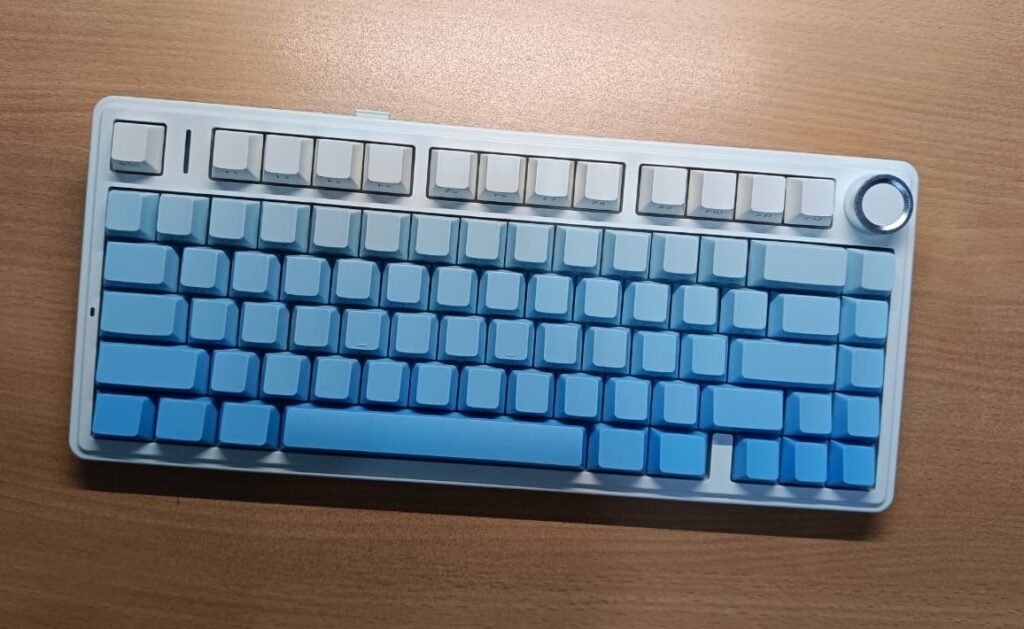
Price when I tested it: $80
After two weeks of work and gaming, I was completely happy with the F75. It has a gasket mount with five layers of padding, tri-mode connectivity, a 4000mAh battery and a multi-function knob.
What I liked: the side-printed keycaps look fantastic on a desk, and the RGB is some of the best I’ve seen at this price.
Worth knowing: it costs the same as the Vibe75 V2, so it comes down to whether you prefer the looks and knob or the screen.
Read my full EPOMAKER x AULA F75 review | Check the price on Amazon
Best under $50: Tecware Phantom S
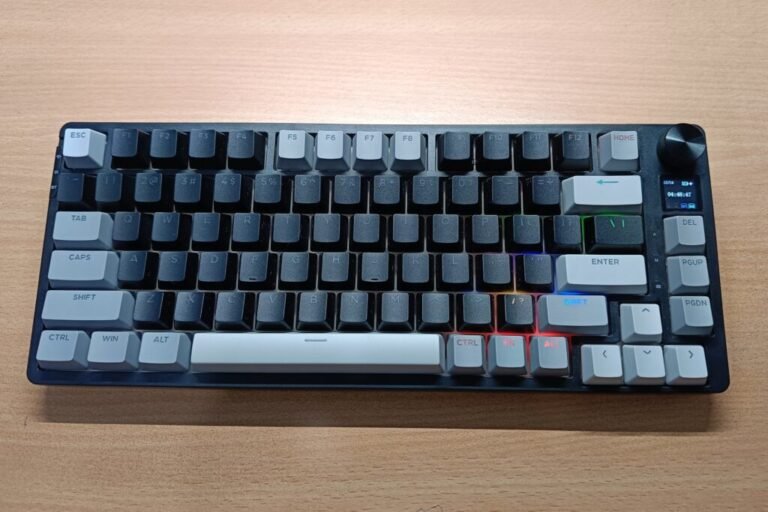
Price when I tested it: $49
The Phantom S is the cheapest keyboard on this list and still gets the important things right: a 75% gasket-mounted layout, tri-mode wireless and a customizable LCD screen.
What I liked: the pre-lubed Tecware Red switches and shine-through keycaps feel and sound good, and pairing was quick and reliable.
Worth knowing: the case is plastic. It feels solid with no wobble, but it won’t feel like an aluminum board.
Read my full Tecware Phantom S review | Check the price on Amazon
Also worth a look: the Epomaker TH85 ($68) is a 75% gasket-mounted, hot-swappable board with a 4000mAh battery, best if you mostly use it wired or keep the RGB low. The MechLands Blade75 (about $99) is the premium choice, with a full aluminum body, though it’s heavy.
Best budget keyboards for competitive gaming
If you play fast shooters or rhythm games, look at Hall Effect (magnetic) switches. They let you adjust how far a key travels before it triggers, which makes movement faster and more precise. A year ago this was expensive. Now it isn’t.
Best for competitive gaming: Epomaker HE68
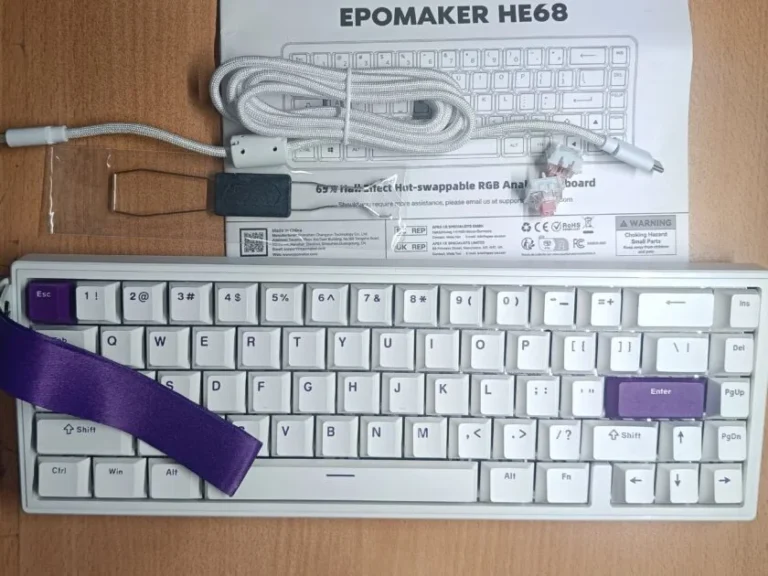
Price when I tested it: $60
The HE68 brings adjustable Hall Effect switches and an 8K polling rate to a $60 keyboard. It’s compact, so you get plenty of room for big mouse swipes.
What I liked: the speed. Features like Rapid Trigger used to cost well over $150.
Worth knowing: it’s wired only, with no wireless option.
Read my full Epomaker HE68 review | Check the price on Amazon
Cheapest Hall Effect board: AULA WIN60 HE
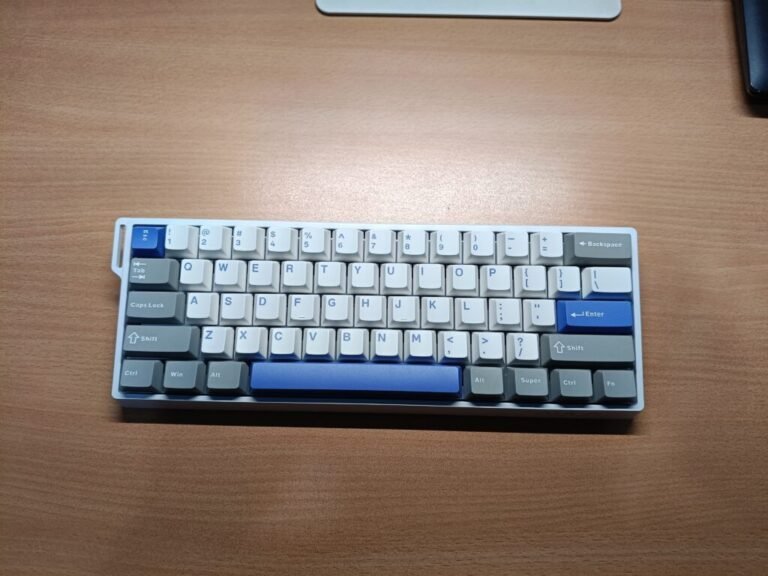
Price when I tested it: $50
The WIN60 HE is a 65% layout with 68 keys, magnetic switches and an 8000Hz polling rate for $50. It’s a no-frills, wired-only performance keyboard.
What I liked: the speed you get for the money is hard to beat.
Worth knowing: the plastic build is modest, there’s a learning curve with the layered keys, and it’s not for anyone who needs a navigation cluster or wireless.
Read my full AULA WIN60 HE review
Also worth a look: the AJAZZ AK680 Max ($60) is a 68% wired board with Hall Effect switches and an 8K polling rate. Just note that the number keys don’t work as F1 to F10 by default.
Best for customization
Best for customization: EPOMAKER Galaxy100 Lite
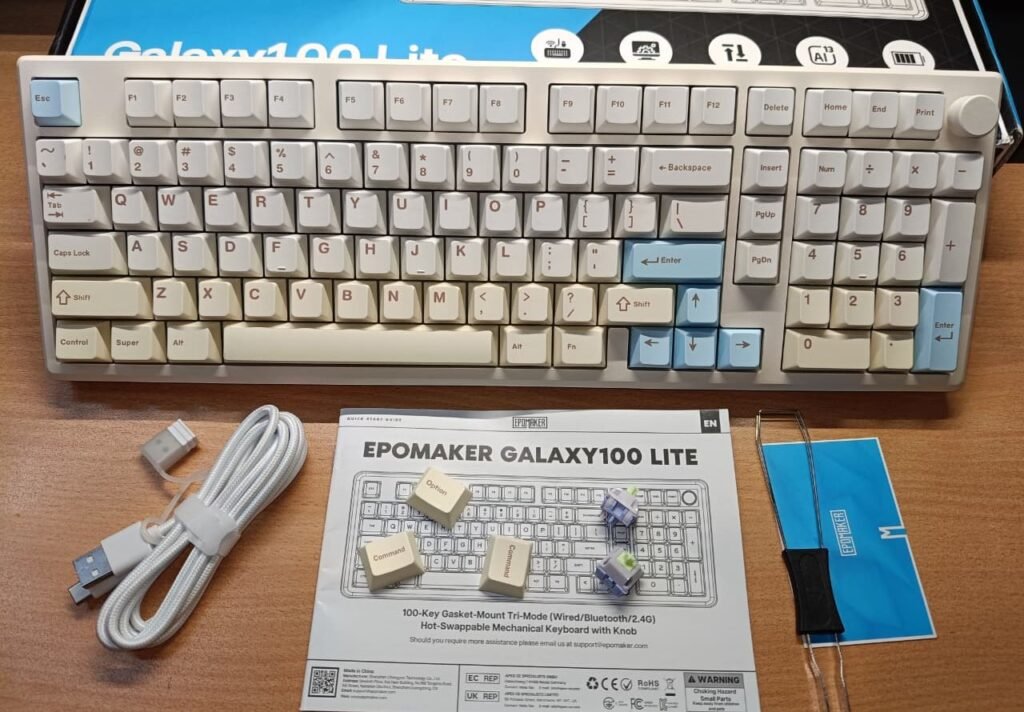
Price when I tested it: about $100
The Galaxy100 Lite is the keyboard for tinkerers. It has a CNC aluminum case, a gasket mount, south-facing per-key RGB, a knob, an 8000mAh battery and full QMK/VIA support, so you can remap almost anything.
What I liked: the build quality and color schemes make it one of the best-looking keyboards I’ve had on my desk.
Worth knowing: it’s at the top of the budget range.
Read my full EPOMAKER Galaxy100 Lite review | Check the price on Amazon
Other keyboards I tested
- EPOMAKER TH108: the non-Pro version, with an 8000mAh battery and a thocky sound from its Creamy Jade switches. The plastic case can twist a little if you force it.
- RX-Storm RX870: a gasket-mounted board with PBT keycaps and a stable connection in every mode. The keycap puller is flimsy and there’s no dedicated software.
- Epomaker x Feker Galaxy80: a $105 TKL with an aluminum shell and a leaf-spring gasket. It’s slightly over budget, a bit heavy, and the battery life was shorter than I expected.
How to choose a budget mechanical keyboard
Pick the layout first. Full-size keeps the numpad, which matters for spreadsheets and data entry. 96% and 98% boards keep the numpad but save space. 75% drops the numpad and is the best all-round size for most people. 65% and smaller boards are for gamers who want maximum mouse room.
Mechanical or Hall Effect? Normal mechanical switches are great for typing and most games. Hall Effect switches are worth it if you play competitive shooters and want adjustable actuation and Rapid Trigger.
Wired or wireless? Tri-mode keyboards (wired, 2.4GHz and Bluetooth) are the most flexible. For wireless gaming, use the 2.4GHz mode rather than Bluetooth, since it runs at a much higher polling rate. The cheapest Hall Effect boards are usually wired only.
Battery size. A 4000mAh battery lasted me several days of normal use with the RGB on, and much longer with it off. The 8000mAh and 10,000mAh boards go far longer.
Build. Aluminum feels premium but adds weight and cost. A well-made plastic case with a gasket mount can sound and feel just as good, which is why most of my top picks are plastic.
Frequently asked questions
Are budget mechanical keyboards worth it?
Yes. Almost every keyboard I tested under $100 had features that used to cost $150 or more, like gasket mounts, hot-swappable switches, tri-mode wireless and even screens. The typing experience on boards like the TH108 Pro and Vibe75 V2 holds up against far more expensive keyboards.
What is the best mechanical keyboard under $50?
Of the keyboards I’ve tested, the Tecware Phantom S at $49. If you only care about gaming speed, the wired AULA WIN60 HE at $50 is the alternative.
Which budget keyboard is best for gaming?
For competitive games, the Epomaker HE68 because of its adjustable Hall Effect switches and 8K polling rate. For casual gaming plus work, the MechLands Vibe75 V2.
What is the best full-size keyboard under $100?
The EPOMAKER TH108 Pro. If you want to save a little, the MechLands Vibe 108 has the same 10,000mAh battery for $90.
Final thoughts
You don’t need to spend $150 to get a great keyboard anymore. Decide on your layout, decide whether you need wireless or Hall Effect switches, and pick from the list above. If you want my single recommendation, get the EPOMAKER TH108 Pro for a full-size board or the MechLands Vibe75 V2 for a compact one. I’ll keep updating this guide as I test new keyboards.