Disclosure: Some links in this post are affiliate links. As an Amazon Associate, Arb Mobiles earns from qualifying purchases, at no extra cost to you.
Quick verdict: A responsive mobile Xbox controller for cloud gaming on Android, with great triggers and a solid build for the price.
Pros
- Hall Effect analog triggers that feel smooth in racing games
- Kailh microswitch bumpers with a short 0.6mm actuation
- Swappable joystick caps and a comfortable, non-slip grip
- More responsive triggers than the GameSir G8 Galileo
Cons
- Joysticks felt too sensitive until I adjusted the settings
GameSir, has officially partnered with Xbox to launch the X2 Pro controller, designed specifically for Xbox mobile gaming. This controller enables gamers to seamlessly play their Xbox and PC games via cloud on Android phones. As an added benefit, GameSir includes a complimentary one-month Game Pass Ultimate subscription with the X2 Pro.
Specifications
| Android Support | Android 8.0 or Above |
| Connection | Built-in wired Type-C (flexible) |
| Compatible Phone Size | 110-179 mm in length |
| Colors | Midnight & Moonlight |
| Microswitch Bumpers | Kailh Micro Switch |
| Analog Triggers | Hall effect Magnetic Sensors |
| Analog Joysticks | Alps |
| Back Buttons | 2 buttons |
| Charging | Pass-through with USB Type-c port |
| Price | $79 |
Unboxing
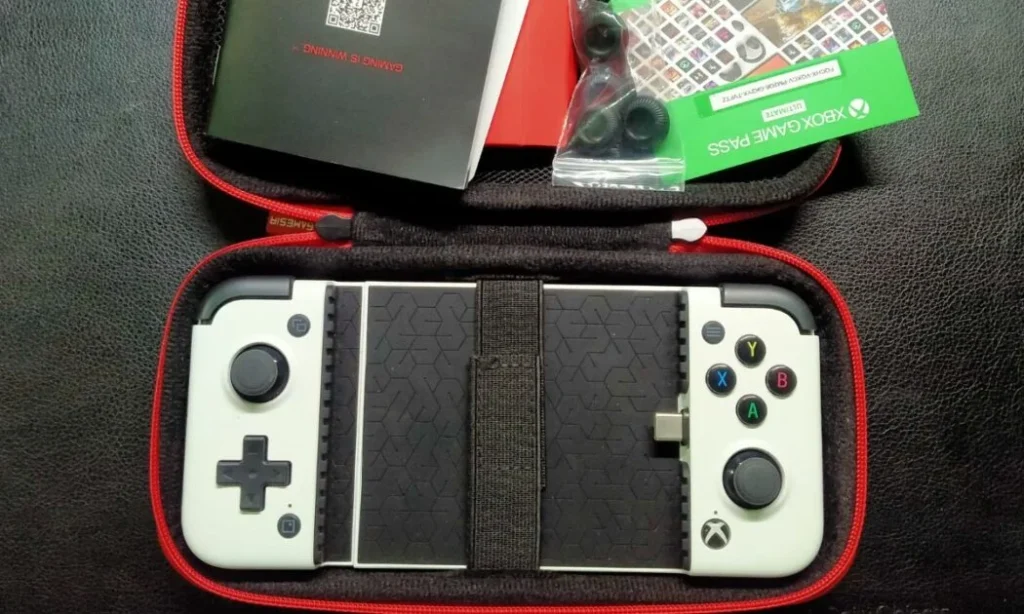
When I open the X2 Pro box, I find a carry case which is pretty solid and suitable for carrying it on the go. Inside the carry case, there’s a small box placed at the center of the X2 Pro, containing a warranty card, user manual, a GameSir sticker, certificate, and the one-month Game Pass, 4 thumbstick cap. And then we have X2 Pro-Xbox controller, that’s all we get in the box.
Design and Build
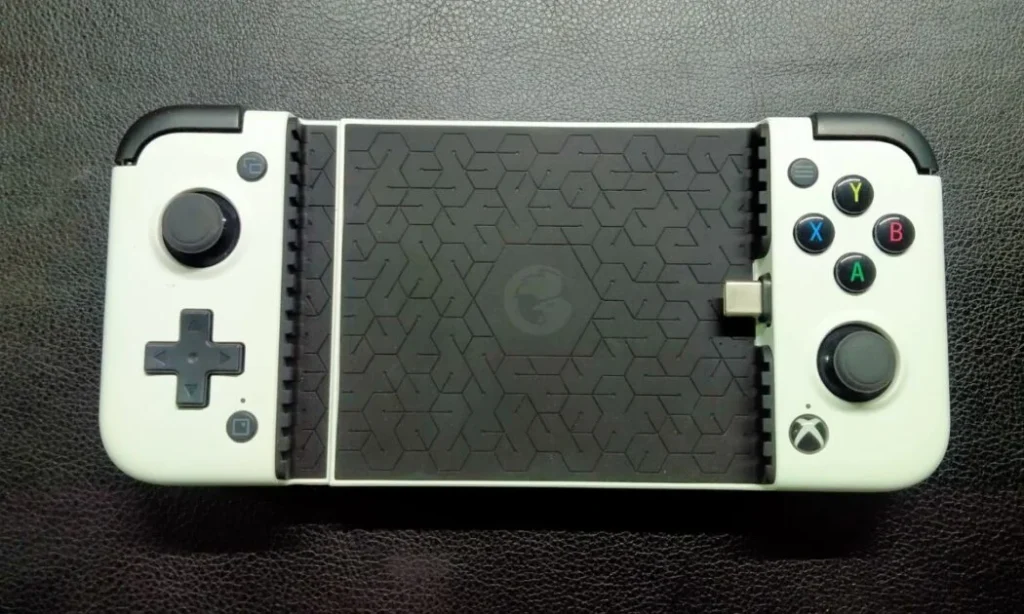
As for the design, you have two color options: Moonlight or Midnight. The Moonlight variant features a combination of white for the body and black for the buttons, while the Midnight version is entirely black. And here we have Moonlight which looks amazing as for Xbox controller. It has expandable design so you can connect as large as phones .
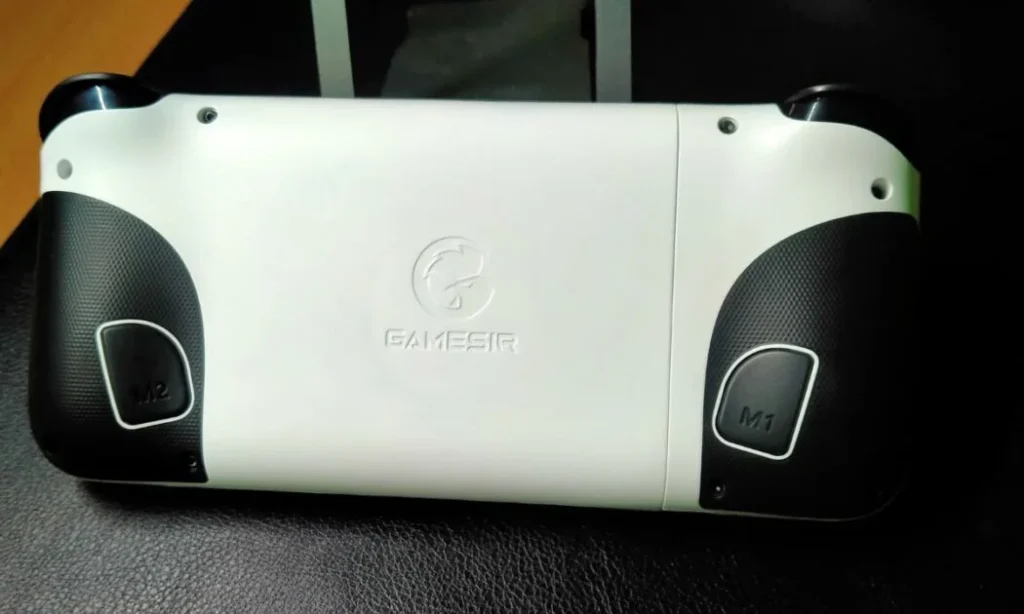
On the back, there’s a textured rubber grip with M1 and M2 buttons. The grip is solid provides comfortable handling without slips. The build quality is impressive with solid plastic that feels premium considering the controller’s budget-friendly price. Overall, both the design and build are perfect; the white and black combination looks amazing.
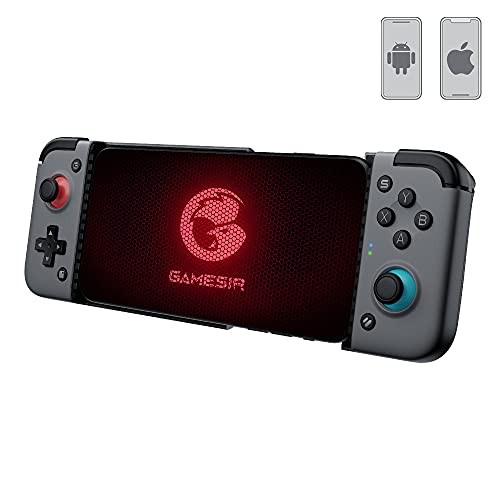

Buttons and Triggers
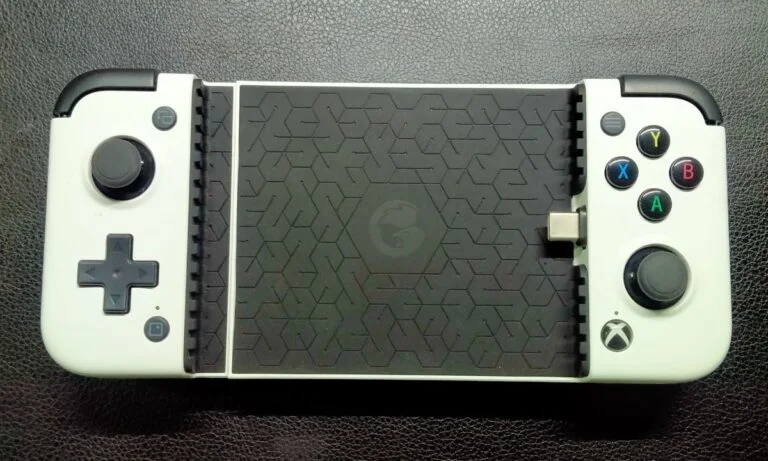
The X2 Pro-Xbox on the left side has a View button on top, joy sticks, a D-Pad, and a phone charging indicator LED. And on the right side, the menu button, ABXY buttons, the right joystick, the LED, which shows connection status, and then an Xbox button.
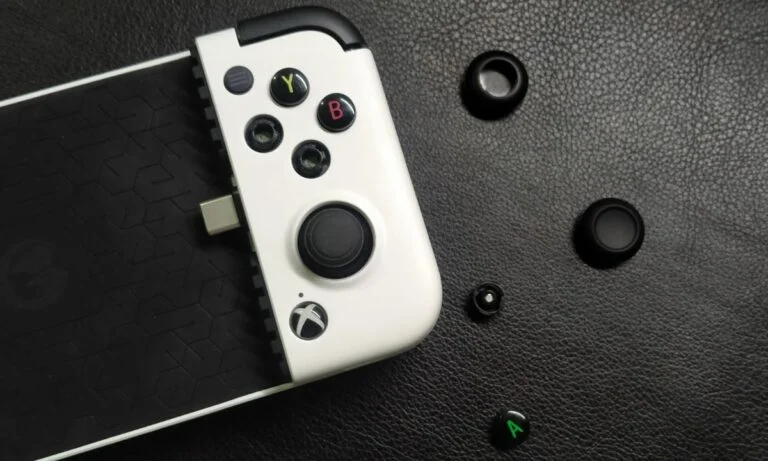
The joysticks are equipped with Alps 3D, which provides smooth 360° controls, and you can replace the joystick caps with concave and convex ones, which we get in the box. And also, we can change the layout between the standard Xbox ABXY layout and the Switch BAXY layout. Just swap the ABXY buttons and then change the layout and open GameSir for configuring the layout. When you are done, good to go.
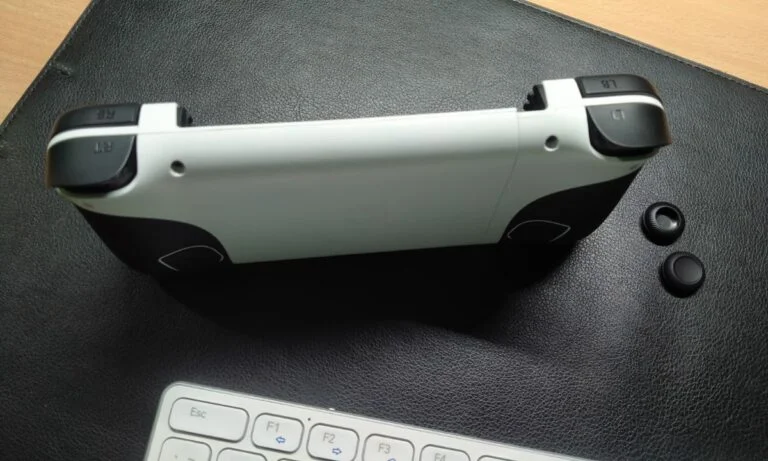
As far as the trigger on the X2 Pro-Xbox, we have Hall Effect Analog triggers with an accuracy of 0.1 mm, which gives a smooth gaming experience, especially in racing games like Forza Horizon 5. I also reviewed the GameSir G8 Galileo, which is an Android and iPhone gaming controller but triggers on the X2 Pro much more responsively.
And for the buttons LB and RB, it has Kailh Microswitch bumpers that provide responsive tactile feedback with a reduced actuation distance of only 0.6 mm, which is 40% less than a normal controller. You also have two mappable back buttons, which you can map in-game as per your playing needs.
Overall, X2 Pro-Xbox with Hall Effect Analog triggers and Kailh Microswitch bumpers provides smooth and responsive gaming experience.
GameSir App Support
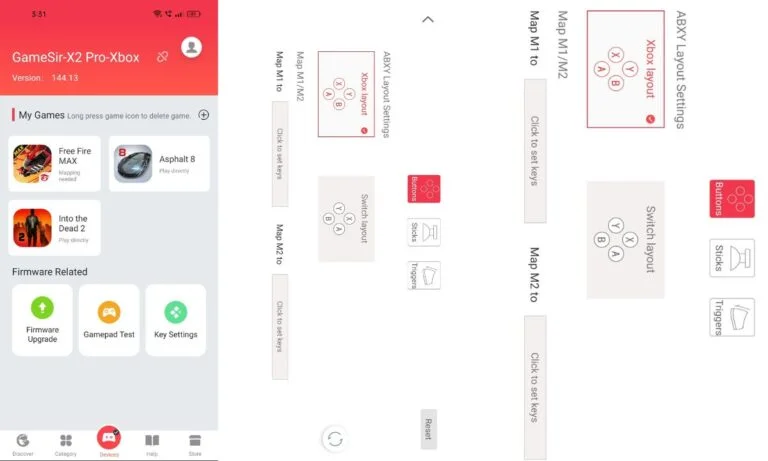
You can download the GameSir App from the Play Store. In the app, you have an explore option where you’ll find the games to download directly or from the games website. And then We have a device option in the center, which shows which controller is connected to your Android phones and the installed games. Here we also have firmware upgrade and GamePad Test Key Settings options. By clicking on the key setting, you can customize all the controls, including the ABXY layout, sticks, and triggers as well. And the game that is not pre-configured, you can configure here, like Call of Duty or other games to play.
Gaming with GameSir X2 Pro
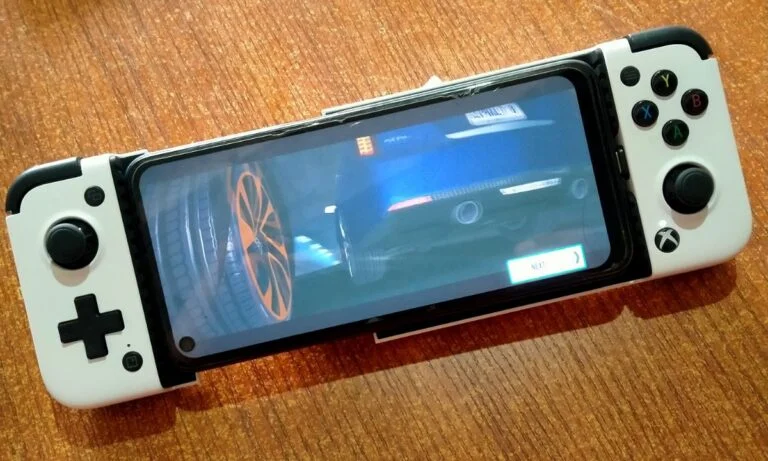
So the final thing is, how is performance when gaming? The GameSir X2 Pro-Official Xbox is certified, and you also have one month of Game Pass Ultimate. With Game Pass, you can play PC and Xbox games via cloud, like Halo, Forza Horizon 5, Microsoft Flight Simulator, and more.
I also tried some Android games like Asphalt 8, Into the Dead which performance well and is responsive. The triggers shoot exactly when I press the trigger, and the low latency is amazing. And with non-configured games like Call of Duty Mobile, first open the game directly from the GameSir App and then map the buttons. Now after mapping and configuring the controls, I am easily able to play. One thing I notice is that the rotation joy stick is very responsive, so when I want to focus on an enemy and move suddenly, I do so, but after a little bit of tweaking the settings on sensitivity, the problem is solved.
So yes, it’s really the best Xbox mobile controller at its budget price, which works for both PC, Xbox Series X, and Android games.
Conclusion
The GameSir X2 Pro-Xbox controller is the ultimate companion for Xbox Mobile gamers. It has an expandable design, Hall effect triggers, and Kailh microswitch bumpers. You can customize all the controls, changing the layout of buttons, the mappable back button, triggers, and more. You can also charge Andorid phones while gaming. GameSir X2 Pro-Xbox budget-friendly price makes it a compelling choice for gamers seeking versatile performance across multiple platforms.