

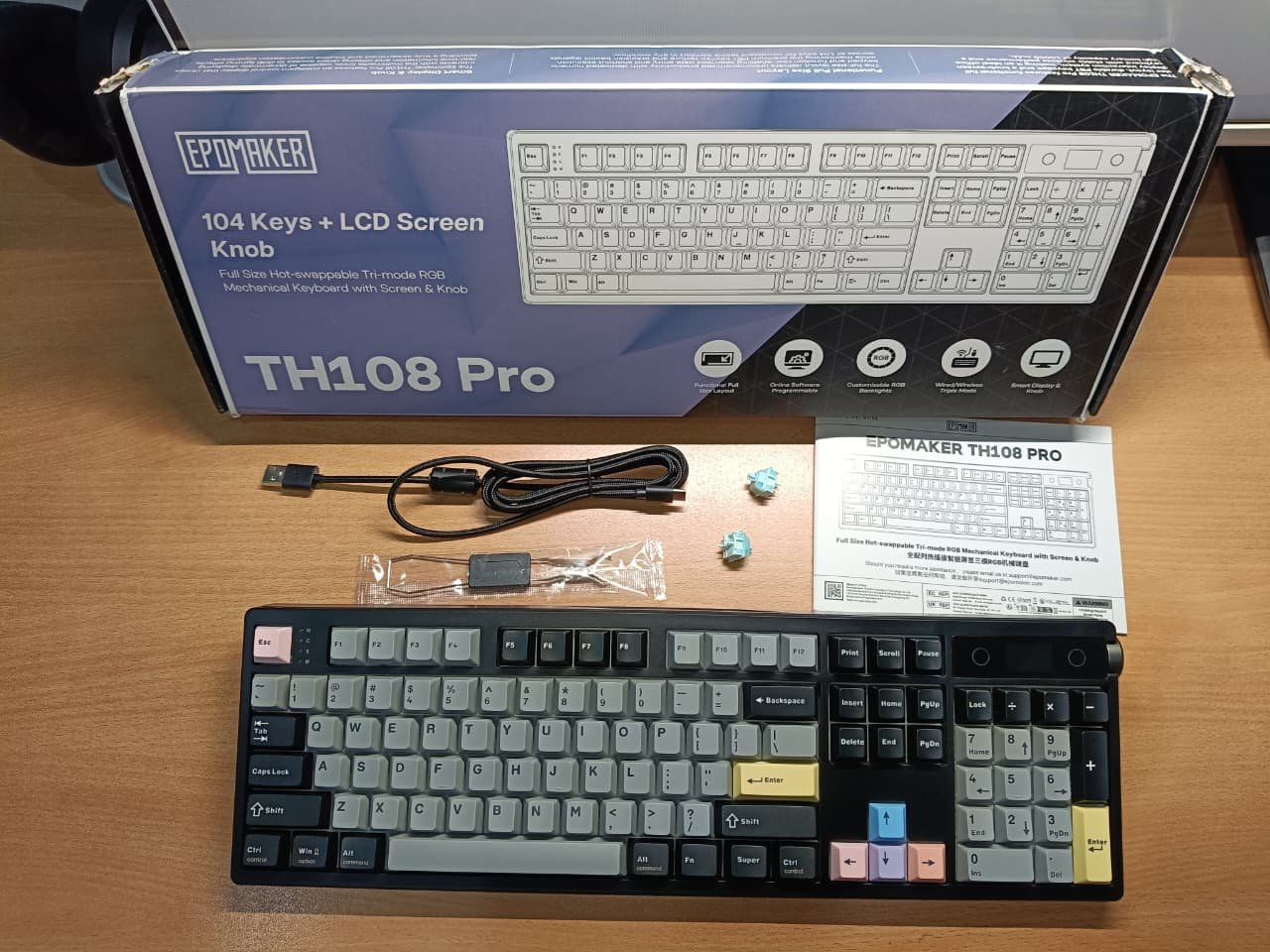
The EPOMAKER TH108 Pro is a standout full-size wireless mechanical keyboard that delivers exceptional battery life, satisfying thocky typing, and practical smart features at an unbeatable price under $100. The ABS plastic case keeps it from feeling ultra-premium, but for most users (productivity pros, casual gamers, or numpad lovers), the pros far outweigh this minor drawback. Highly recommended as a versatile daily driver.
Pros
- Exceptional battery life – rarely needs charging
- Creamy, thocky gasket typing right out of the box
- Useful TFT display + knob for quick tweaks and custom flair
- Tri-mode connectivity with low-latency gaming options
- Great value under $100 with hot-swap and PBT keycaps
- Versatile for work, productivity, and casual gaming
Cons
- ABS plastic case lacks the premium weight of aluminum boards
- Full-size layout takes desk space (great for numpad users, less ideal for minimal setups)
- Web driver is solid but not as advanced as high-end software for complex macros
If you’re hunting for a full-size mechanical keyboard that balances productivity, casual gaming, and standout features without breaking the bank, the EPOMAKER TH108 Pro deserves a serious look. Priced around $99, it packs a 100% layout, tri-mode wireless, a smart TFT display with rotary knob, side RGB accents, and one of the biggest batteries in its class.
I’ve been using it as my daily driver for over a month now – typing articles, editing, light gaming sessions, and everything in between. Here’s the real breakdown from actual use, not just specs.
Quick Specs at a Glance
| Features | Details |
|---|---|
| Layout | 100% Full-Size (104 keys, ANSI US/UK layout) |
| Switches | Creamy Jade (linear, factory-lubed) or Sea Salt Silent V2 |
| Mounting | Gasket mount with 5-layer sound dampening |
| Keycaps | Double-shot PBT, shine-through legends |
| Connectivity | Tri-mode: Bluetooth 5.0, 2.4GHz, Wired USB-C |
| Polling Rate | Bluetooth: 125Hz; 2.4GHz/Wired: 1000Hz |
| Battery | 10,000mAh (up to 42 hrs RGB + screen on; 200+ hrs off) |
| Extras | TFT smart display, rotary knob, side RGB strips |
| Dimensions/Weight | Approx. 445 x 140 x 42 mm / ~1.12 kg |
| Price | ~$99 (check current deals) |
Unboxing and First Impressions
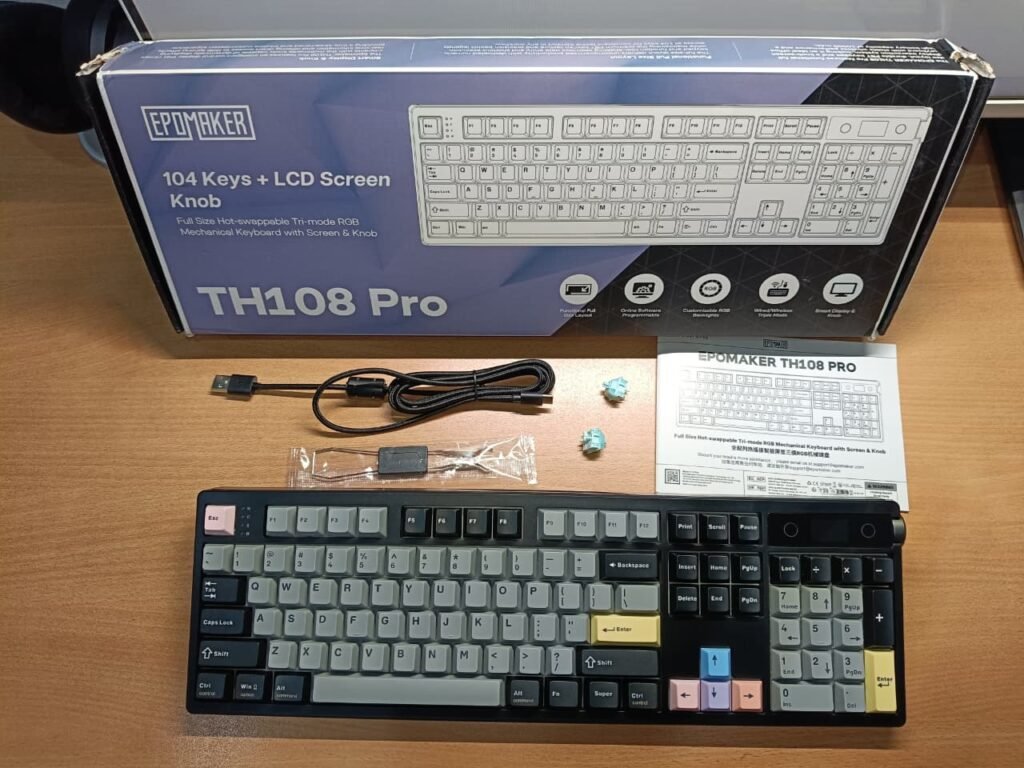
The box keeps things straightforward: the keyboard wrapped in a reusable plastic dust cover (handy for keeping dust off your desk), braided USB-C cable, user manual, warranty card, dual-purpose keycap/switch puller, and two spare Creamy Jade switches. No unnecessary fluff – everything feels premium for the price.
Design and build Quality
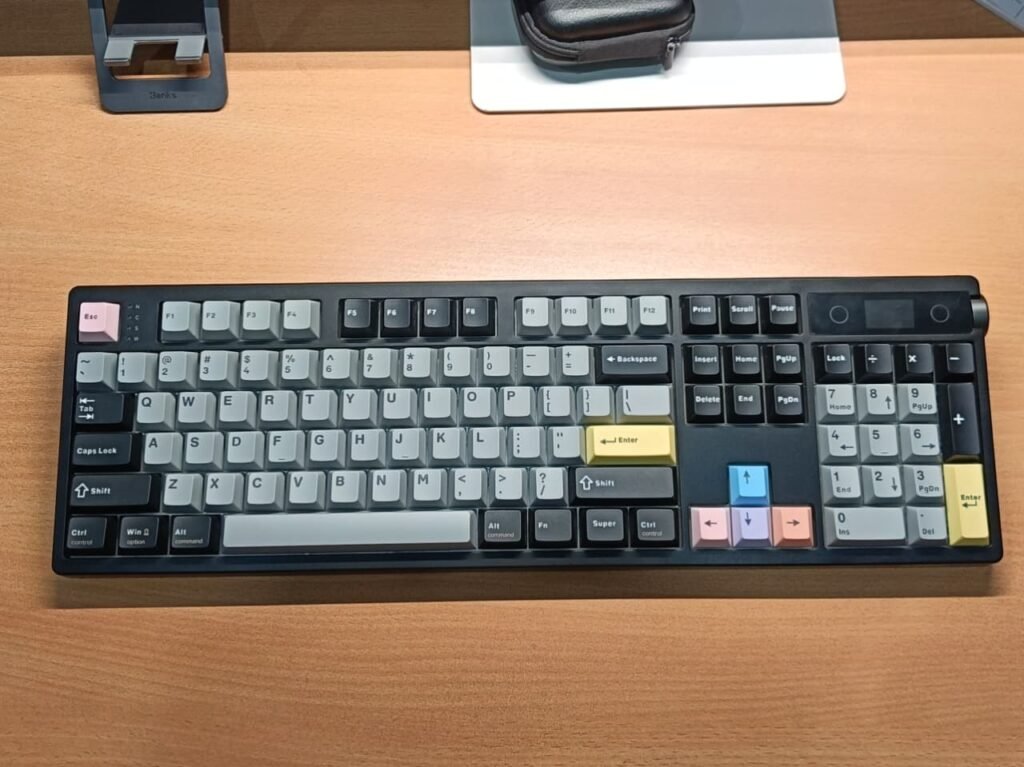
I tested the black colorway (dark grey modifiers, light grey alphas, with fun pops: yellow Enter key, colorful Esc and arrows in pink/blue/purple). Other options include white/blue and pink variants if you prefer a lighter aesthetic.
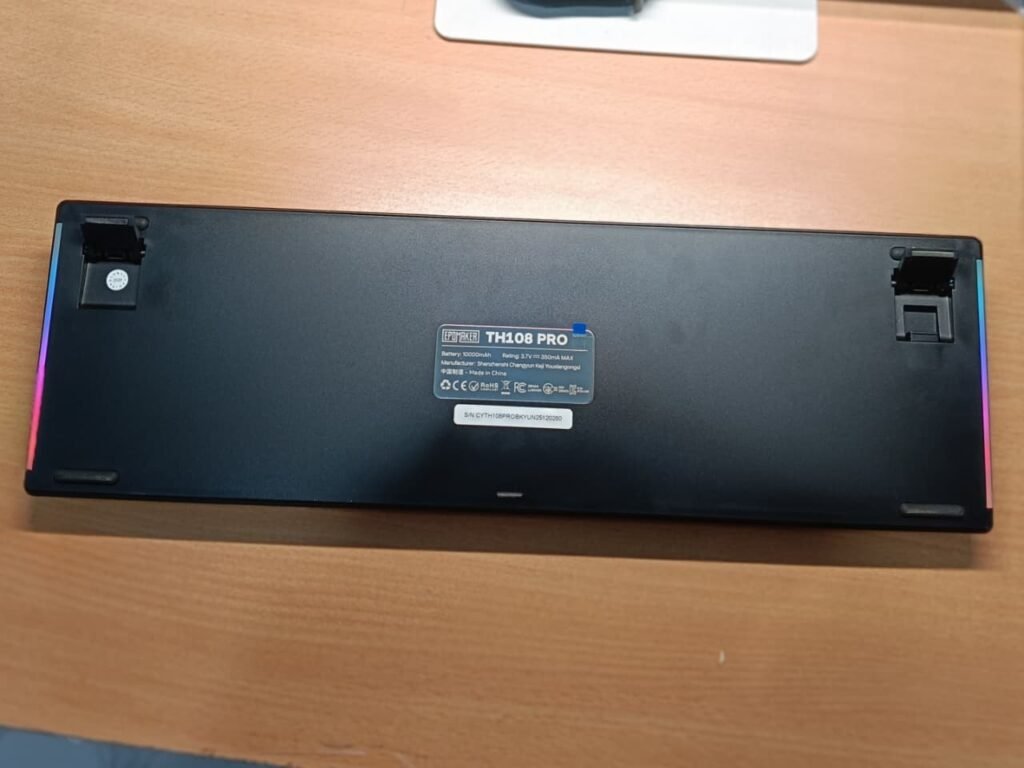
The top layout is clean: LED indicators near Esc for connection modes and Caps Lock, illuminated EPOMAKER logo next to the TFT screen on the right, and the rotary knob just behind it. Sides feature sleek diffusing RGB strips that look stunning in low light. The back has two-level adjustable kickstands and a hidden slot for the 2.4GHz dongle.
Build-wise, it’s a thick ABS plastic case – not the heavy aluminum feel of pricier boards, but no flex or creak here. It stays stable on the desk (over 1kg weight helps). The PBT keycaps are excellent: durable, no shine issues expected long-term, and legends light up nicely.
The only real compromise? It lacks that ultra-premium heft. But for under $100, the overall vibe is solid and gaming-ready.
TFT Display and Rotary Knob – Standout Features
This is where the TH108 Pro shines over basic full-size boards. The small TFT screen shows battery percentage, time (syncable via driver), RGB previews, and custom GIFs you upload. The knob handles volume by default but switches to menu navigation when you hold Fn and press it – super intuitive, as you see changes live on the screen.
The web-based driver (no heavy app download) lets you remap keys, set macros, upload GIFs, tweak lighting, and fix any time sync issues. It’s straightforward and works well on Windows/Mac – reviewers praise it for being simple yet effective.
Typing Experience and Sound Profile
Gasket mounting + five layers of dampening (PORON sandwich foam, IXPE switch pad, PET film, EPDM socket foam, bottom silicone) deliver one of the best out-of-box experiences in this price range. My Creamy Jade switches arrived factory-lubed: buttery smooth with a deep, thocky sound – no ping or rattle. Typing feels cushioned and fatigue-free during long sessions.
For quieter environments (office or late-night work), opt for the Sea Salt Silent V2 variant. Fully hot-swappable (5-pin), so swapping switches later is easy if you want to experiment.
In my testing: Hours of writing and editing felt effortless – the acoustics make it addictive, whether for work or immersive gaming.
RGB Color & Effects
South-facing dynamic RGB looks vibrant, with side strips adding ambiance. Control everything from the board: Fn + Insert for effects, Delete for colors, Home for side lights, End for logo. Brightness and speed adjustable on the fly – no software needed for basics. In a dim room, it helps spot keys quickly without misclicks.
Connectivity and Battery Performance
Tri-mode works flawlessly: Bluetooth pairs up to 5 devices (125Hz polling – zero lag for productivity/editing), while 2.4GHz and wired hit 1000Hz for responsive gaming.
The 10,000mAh battery is a monster. Epomaker claims 42 hours with RGB and screen on, 200+ hours off. In real use (mixed: full RGB + screen for some sessions, RGB off most days, 2-4 hours daily): I got 30-35 hours per heavy charge, but easily stretched to 2-3 weeks between charges when conservative. Many reviewers report similar – weeks without plugging in, even with occasional screen use. Fast USB-C charging tops it up quickly.
Final Thought
The EPOMAKER TH108 Pro punches way above its ~$99 price tag. It combines a satisfying typing experience, insane battery endurance, practical extras like the TFT/knob combo, and reliable wireless performance into one versatile full-size package.
If you need a numpad for spreadsheets, data entry, or just prefer the complete layout – and want modern features without paying $150+ – this is one of the best options available right now. It easily holds its own against similar budget full-size boards (like Aula F108 variants) thanks to the superior battery and display implementation.
Highly recommended as a daily driver. Grab it if it fits your setup – you won’t regret the upgrade!
