

In this article, Reviewing the Minisopuru 13-in-1 triple display docking station, with the help of which you can run 3 display monitors from your Windows laptop or MacBook, as well as you can charge your mobile phone and laptop. Yes, this docking station also gives you the support of Ethernet and earphones. So let’s know whether it can really solve the problem of many docking hubs or not.
Unboxing and Design
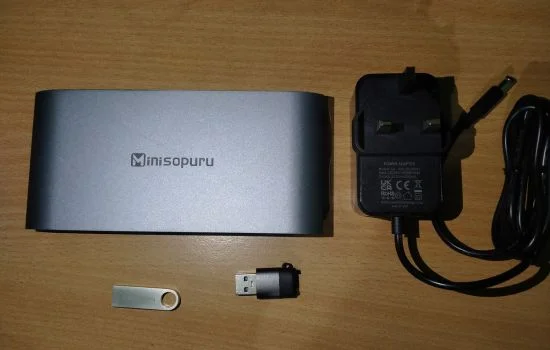
Inside the box you get a 13-in-1 USB-C hub itself, a 36W DC power adapter and a USB-C to A converter, an installation drive along with some user manual documents.
The design is a Metal matte finish, which looks quite minimal, and in terms of build quality, it is made of aluminum, which is quite strong in comparison of plastic build hubs. If you used in your setup, it will give a very minimal feel with strength.


Minisopuru 13-in-1 Docking Station Ports
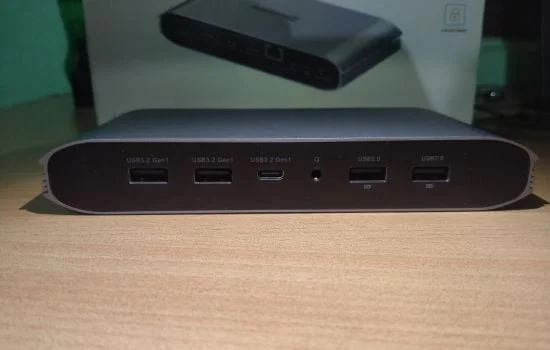
On the front side it has 2x USB Type-A 3.2 Gen 1 that supports up to 5gbs of Max transmission Speed with 3A max output, And next to that we have 1x USB Type-C that features same support as USB Type-A 3.2. then we have a 3.5mm Audio/Mic combo jack and next to that we have 2x USB Type-A 2.0 that features up to 480Mbps max transmission speed with 7.5W max power output.
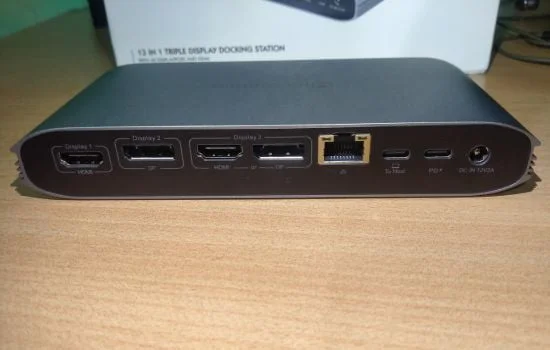
On the back side of the USB-C hub, we have 2x HDMI Display Port 1 or 3 that support 4K 60Hz refresh rate under DP 1.4, and next to that, we have 2x DP 1.2 Displaylink 2 or 3 features 4K 60Hz. And then an Ethernet RJ45 port that supports 1000/100/10 Mbps speeds. Next to that, we have a USB Type-C host port, which can help connect the Windows laptop or MacBook, and a USB Type-C PD 3.1 with a maximum power of 100 watts to power up your MacBook. These 13 ports are excellent and work seamlessly.
13-in-1 DisplayLink Setup
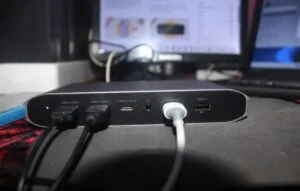
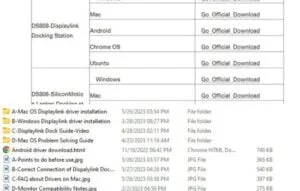
For setup, first connect the power adapter to the minispuru hub, then plug the laptop USB Type-C into the host port in the hub, and connect the monitors using HDMI or Display Port. Then download the driver from the official minispuru website for Windows or Mac, or you can install the hub driver from the flash drive given in the box.
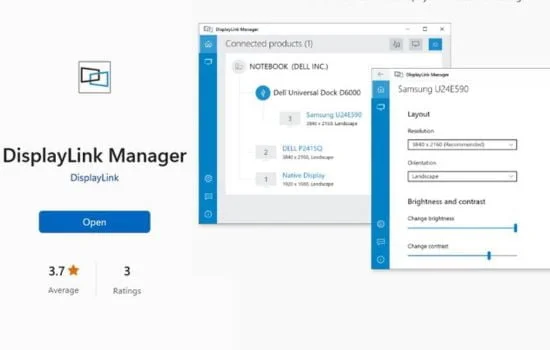
Now Install DisplayLink Manager from the Microsoft App Store or from the Apple App Store. Now open it and click on identify. Whatever display you have connected to the HDMI or display port will appear. Click on it, and your display is now set up.
13-in-1 USB-C Hub Performance
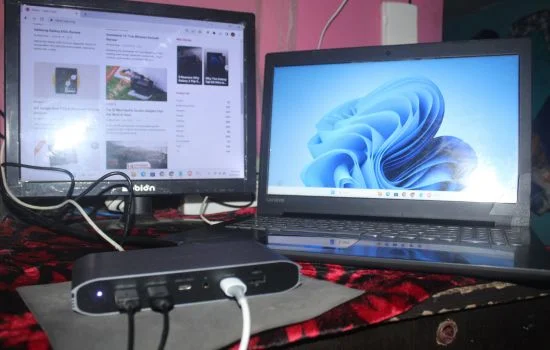
Now after all of that, I set up a monitor using HDMI Display Port 1, and then I play FHD video that works, surf the web, and feel like a really good job was done. Then I connected the keyboard using USB Type-A 3.2 Gen 1 wired mice, and then I pushed it to do hard things, so I put my phone on charging using USB Type-C. After surfing web browsers like Chrome and Bing and playing videos, I don’t feel any lag, and everything works well at normal temperature. I really say it’s done the job well.
Final Thought
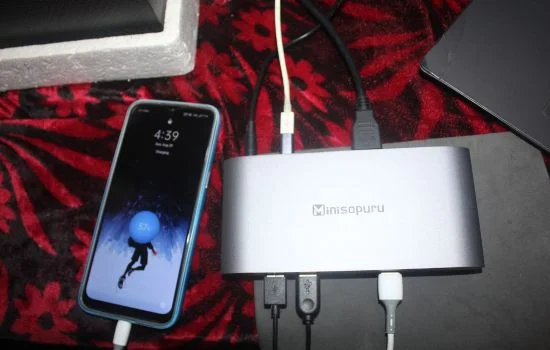
So if you are using two or three docking stations for your two or more monitors and finding it really hard to manage those two or three docking stations, I say the Minisopuru 13-in-1 triple display docking station is for you at a price of $179 on Amazon. With this docking station, you can setup up to three monitors from your MacBook or even a Windows laptop.
The Minisopuru triple display docking station has 2 USB Type-A 3.2 Gen 1 ports, 2 USB Type-A 2.0 ports, a 3.5mm audio/mic jack, a USB Type-C 3.2 Gen 1 port, and 2 HDMI display ports. The only negative thing is that I notice there is no USB Type-A to host the device if you don’t have Type-C, so you can use the USB Type-C to Type-A converter, but considering all the other features, it’s really worth the price.
