

Over the past few months, I’ve tested dozens of mechanical keyboards, but few have surprised me like the MechLands Blade75. In a market flooded with plastic keyboards, the Blade75 stands out with a full aluminum body and a feature set that promises a custom-level experience for just $99. But does it deliver? After weeks of daily use, let’s dive into this beautiful beast.
Unboxing
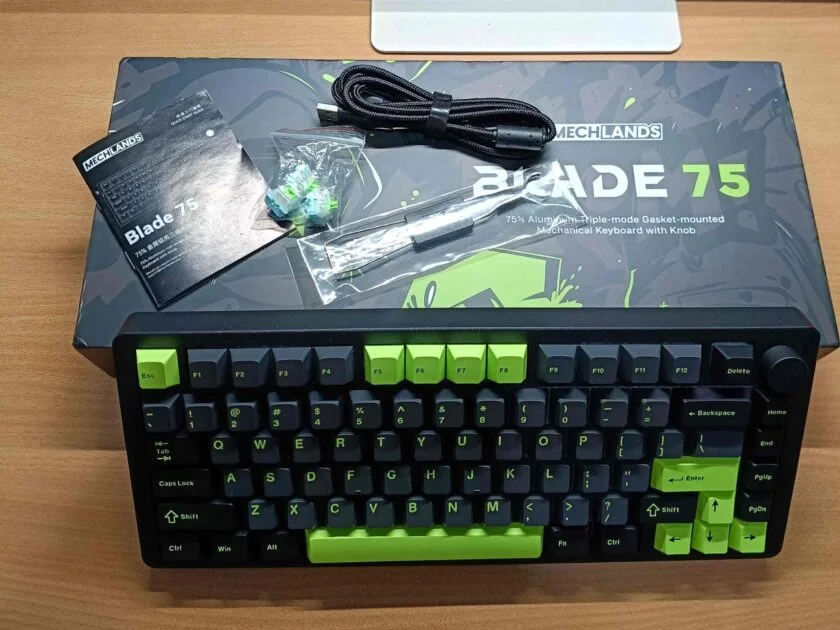
The unboxing experience feels substantial, matching the keyboard itself. Inside the gaming-themed box, you get:
- The Blade75 Keyboard
- A high-quality braided USB-C cable
- A combination keycap and switch puller
- Three extra MechLands Verdant switches
- A user manual
All these things come with good packaging and the box design also gives a full gaming vibe.
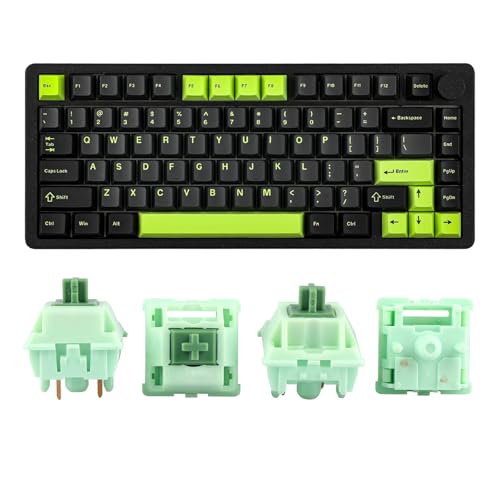

Design and Build Quality
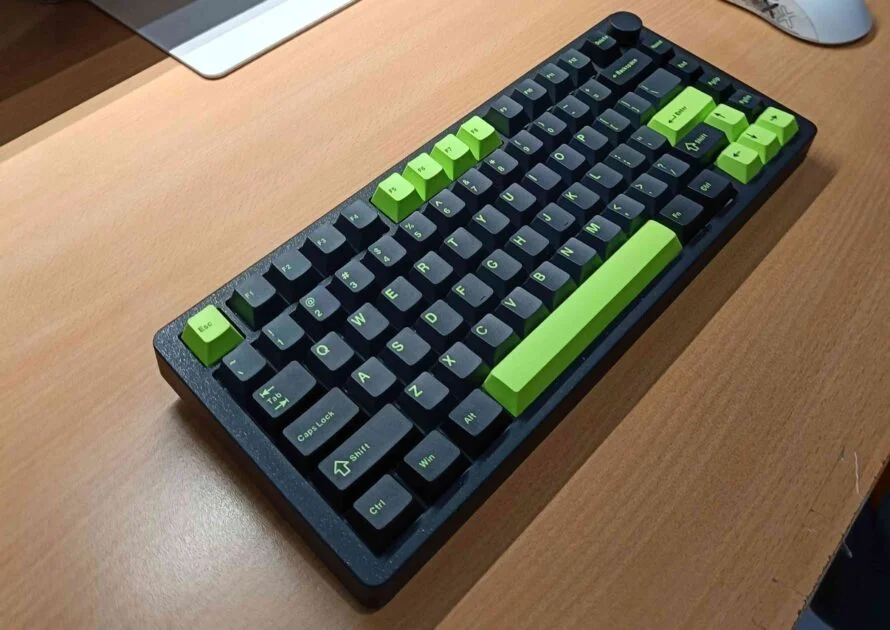
Let’s get this out of the way: the build quality is phenomenal. The Blade75 is milled from a solid block of aluminum, and it feels incredibly dense and premium. There is absolutely zero flex. This keyboard is a tank.
However, that robust construction comes with a significant trade-off: weight. At 1.65kg (3.6 lbs), this is one of the heaviest 75% keyboards I’ve ever used. This is a positive for stability—it will never slide around your desk—but it kills any notion of portability. This is a keyboard that finds a spot on your desk and stays there.
You will have two color options: Blue and the Black-Green. I have the Black-Green, and it’s a 75% compact layout with 81 keys. It features all function keys and some other shortcut keys like Home, End, PgUp, PgDn, and a volume rocker that allows us to control the volume.
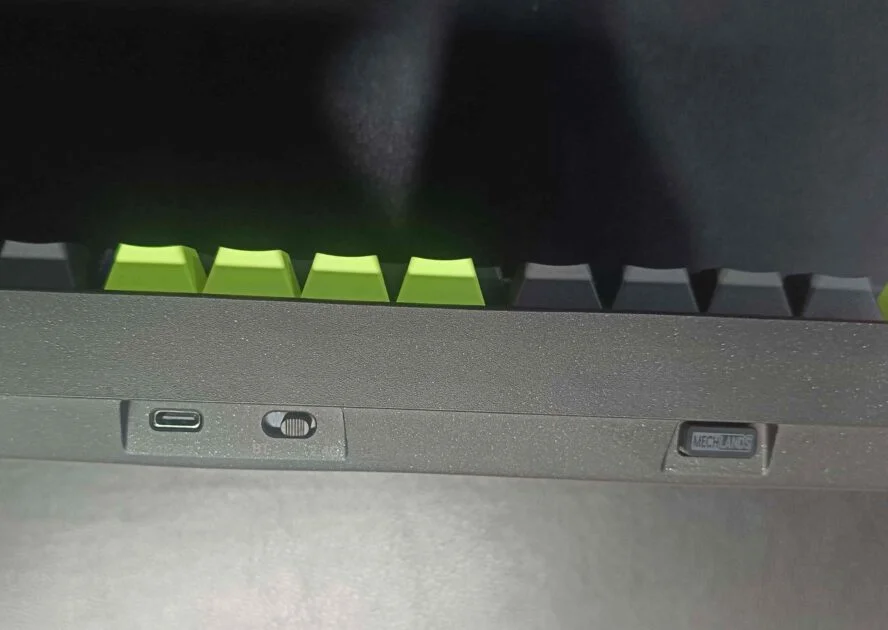
The aluminium body has a shimmery, shiny design like a galaxy. On the front edge, below the footer center, there’s a button for the connectivity switch or power on/off, and a USB port. On the right side, there’s 2.4GHz dongle storage.
There’s no dedicated device switch button (Win/Mac), but you can switch using Fn + A for Windows and Fn + S for Mac mode.
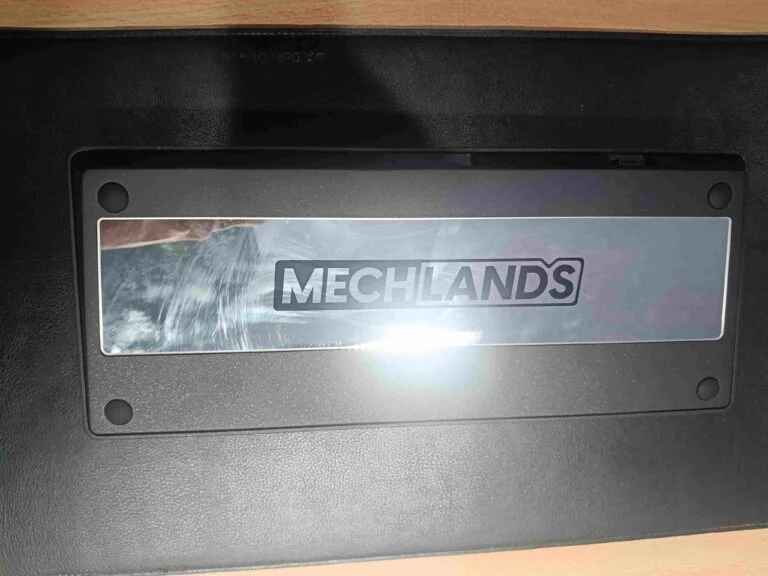
On the back, it has a big glass piece at the center with just “MechLands” written on it no other branding, not even “Blade75.” I’ve seen many keyboards with a metal piece there, but this one uses glass, which looks great—but you’ll need to be careful not to break it.
Switch/keycaps and Typing Experience
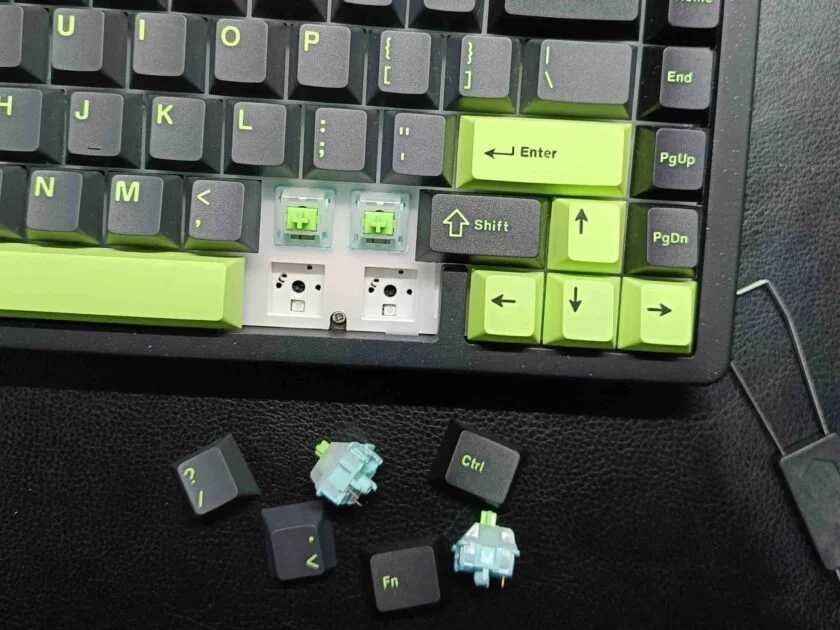
This is the Blade75’s main event. The typing experience is sublime, thanks to a few key features working in harmony:
- Gasket Mount: The keyboard plate isn’t screwed directly into the case. Instead, it’s cushioned by silicone gaskets, which isolates it and allows for a slight flex. This creates a softer, bouncier, and much quieter typing feel compared to traditional keyboards.
- Excellent Internals: MechLands has packed the inside with sound-dampening foam and pads. This eliminates any hollow echo or metallic ping, resulting in a deep, clean, and satisfying “thocky” sound with every keystroke.
- MechLands Verdant Switches: These are smooth linear switches that are great out of the box. They require a light touch and are perfect for both gaming and long typing sessions.
- Perfectly Tuned Stabilizers: The larger keys like the spacebar, enter, and shift are incredibly stable. There is zero rattle, a common issue on many pre-built keyboards, which speaks to the attention to detail here.
The keycaps are thick, durable double-shot PBT, which resist shine and feel great. My only complaint is that they are not shine-through, meaning the RGB lighting glows around the keys but not through the letters. This can make it hard to see the legends in a dark room.
Connectivity and Battery Performance
- Hold Fn+Q/W/E for 3-5 seconds to toggle between buletooth 1/2/3 and pair.
- Hold Fn+R 3-5 seconds to pair with 2.4Ghz wireless mode.
The Blade75 supports Bluetooth, 2.4GHz wireless, and wired connections. I tested both wireless modes, and they work great—fast and responsive. Even on Bluetooth, typing feels smooth, though you might notice a bit of lag sometimes. But with the 2.4GHz or wired mode, everything works perfectly and feels precise.
- FN Key: Blinks in Red (Low Battery)
- Blinks Blue for 5 times (Charging)
- Blinks in Green for 5 times (Fully Charged)
It packs a big 4000mAh battery, which easily lasts for weeks even with RGB on. I used it for 6 hours in wireless mode with RGB backlight on, and it still had 66% battery left from 100%. So yeah, you’re not losing any game or match because of battery—it’s built to keep up.
Some FN Keys
- Fn + PgUp Arrow: Increase Backlight Brightness
- Fn + PgDn Arrow: Decrease Backlight Brightness
- Fn + PgRight Arrow: Decrease Backlight Speed
- Fn + PgLeft Arrow: Increase Backlight Speed
- Fn + Spacebar: Turn Backlights On/Off
- Fn + |: Toggle Backlight Effect
- Fn + Home: Toggle Backlight Color
Conclusion
After testing so many mechanical keyboards over the past few months, the MechLands Blade75 really stands out—especially for its solid aluminium build, beautiful Black-Green keycap combo, and smooth, cushioned typing experience. The gasket-mounted design, hot-swappable PCB and triple-mode connectivity make it feel like a premium package that’s both gamer- and work-friendly.
But keep in mind, this level of build quality comes at a price literally. At $100, it’s on the higher side, mainly due to that full aluminium body. It’s also heavier than most boards, which could be a downside if you’re looking for something portable.
Still, if you want something with a fresh design, great battery life, reliable wireless connection and satisfying keystrokes the Blade75 won’t disappoint. It’s a compact powerhouse that offers way more than just good looks.
Buy from the official MECHLANDS Store or Amazon. When you make a purchase, we may earn a commission.
